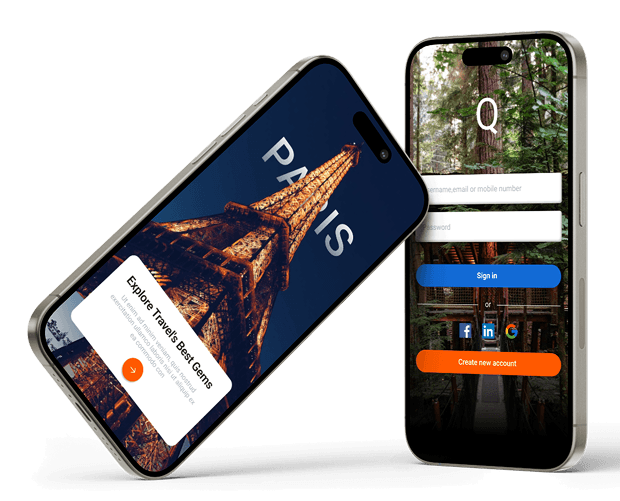
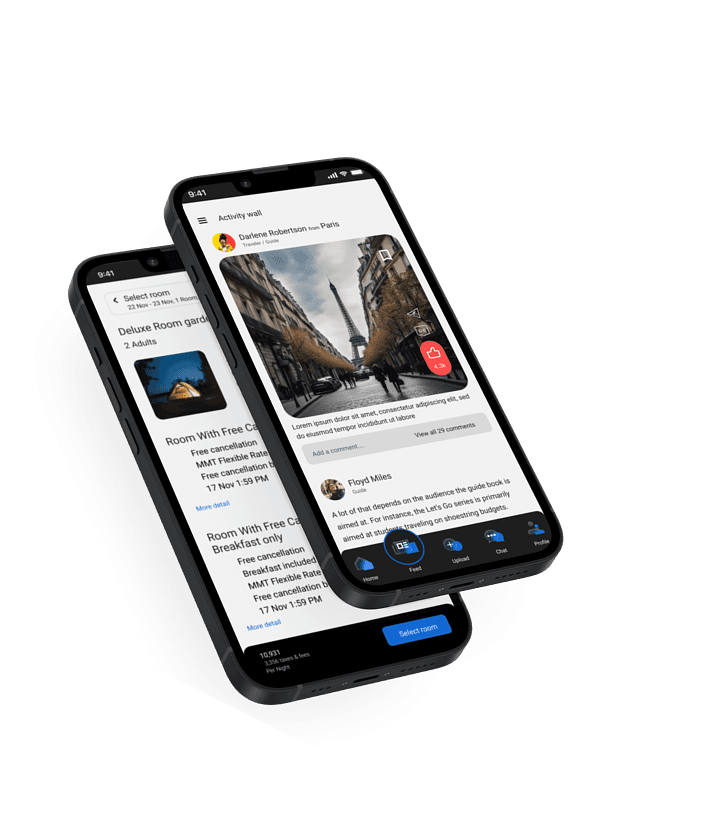
Bringing travelers to seamless journeys and memories.

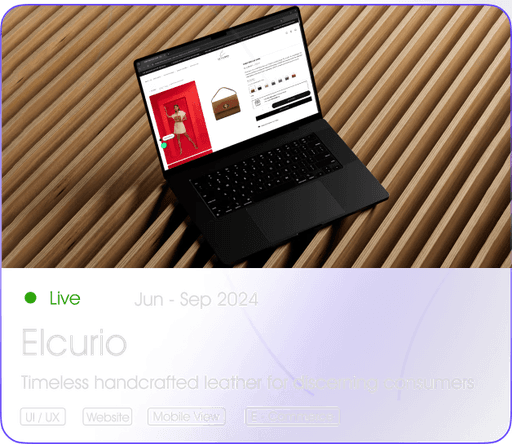
Timeless handcrafted leather

for discerning consumers

Quest is a comprehensive platform designed to simplify travel planning. It offers everything from budgeting and booking transportation (train, cab, flight) to hotel reservations, equipment rentals, and itinerary management, making it the ultimate one-stop solution for travelers, bloggers, and organizers.

Bringing travelers to seamless journeys and memories.

Quest is a comprehensive platform designed to simplify travel planning. It offers everything from budgeting and booking transportation (train, cab, flight) to hotel reservations, equipment rentals, and itinerary management, making it the ultimate one-stop solution for travelers, bloggers, and organizers.

Project overview

Quest is a travel app that aims to enhance every aspect of travel experience. This app allows the user to unlock the hidden treasures of the destination with personalized recommendations as well as the necessary information and tools to make a decision.
Allows the user to discover the best restaurants, cafes, nightlife spots, attractions, and unique experiences based on their preferences. The app also enables users to organize group trips that anyone can join.

My reponsibilities
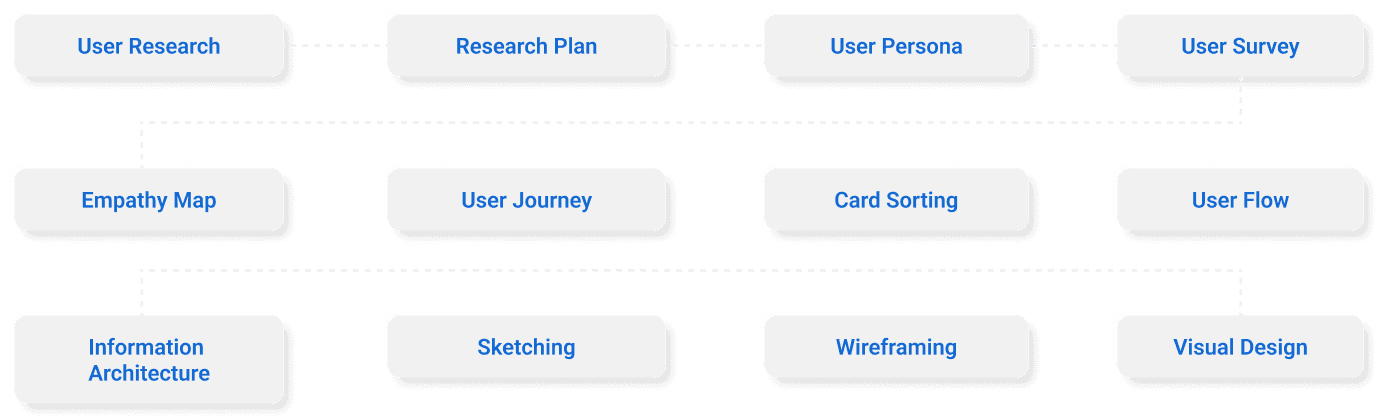
Project Timeline

20 Weeks
timeline

60+
screens
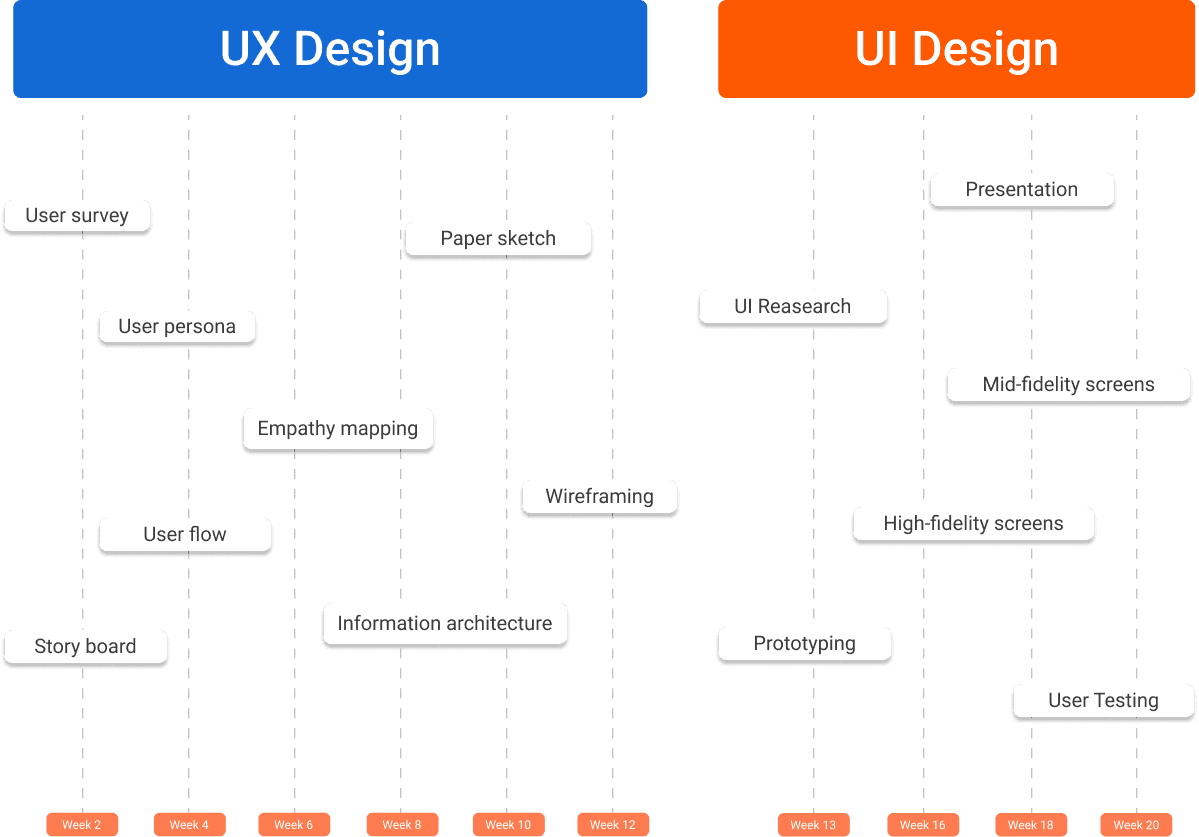
Design thinking process
These findings help in understanding the gaps in the market and potential opportunities for improvement and innovation.

During the research, the goal was to see if the

problem found in quantitative research is faced by

other users too or not.

These findings help in understanding the gaps in the market and potential opportunities for improvement and

innovation.

Problem statement

Users face difficulty in navigating the travel app without the assistance of a resourceful guide or companion.

Planning travel becomes cumbersome due to the requirement for multiple resources, leading to a lack of efficient coordination and organization.

Users encounter challenges in finding compatible travel companions through the app, hindering the enjoyment of their travel experiences.

Users seek access to exclusive information about hidden destinations, but the app lacks a dedicated resource for discovering and exploring these unique places.

Possible solution

Implement a user-friendly help desk feature connecting travelers with knowledgeable guides and locals who can provide assistance and insights.

Offer a comprehensive information hub within the app, ensuring users have access to all essential details for seamless travel planning.

Integrate a dedicated wall and chat section, fostering community engagement and enabling users to share experiences, tips, and advice.

Facilitate user-generated content by allowing travelers to share their experiences through posts, creating a vibrant community and valuable insights for others.

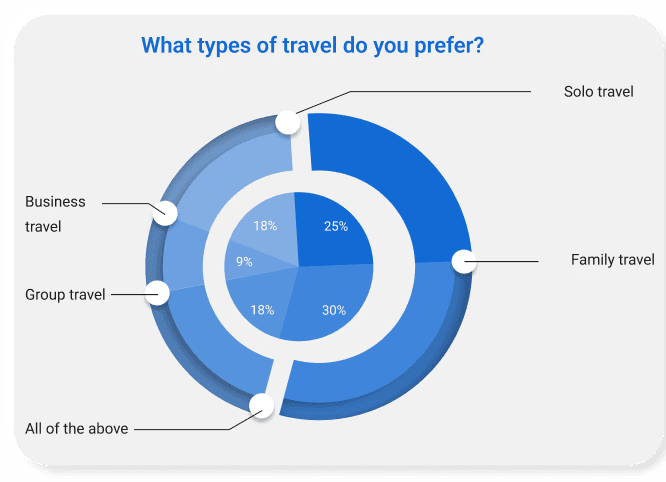
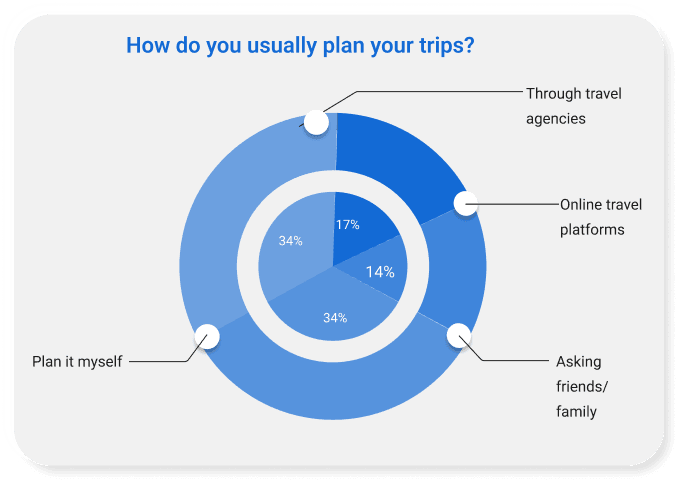
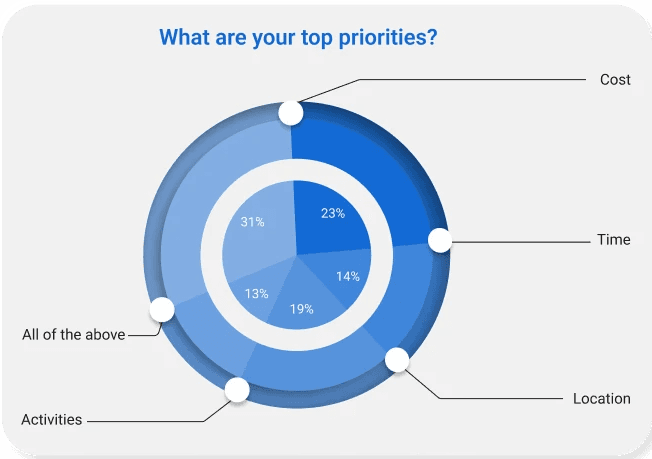
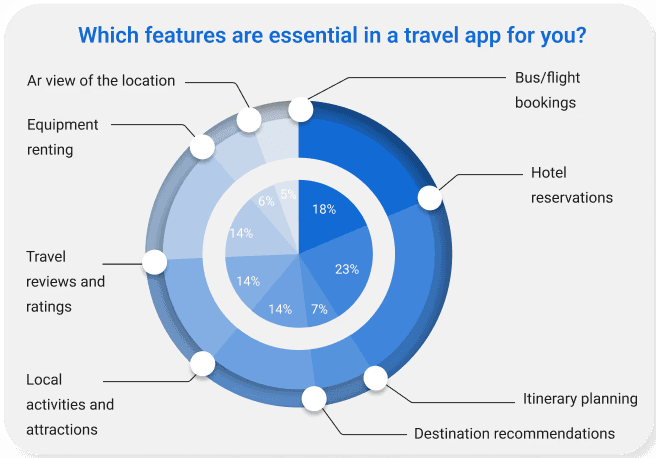
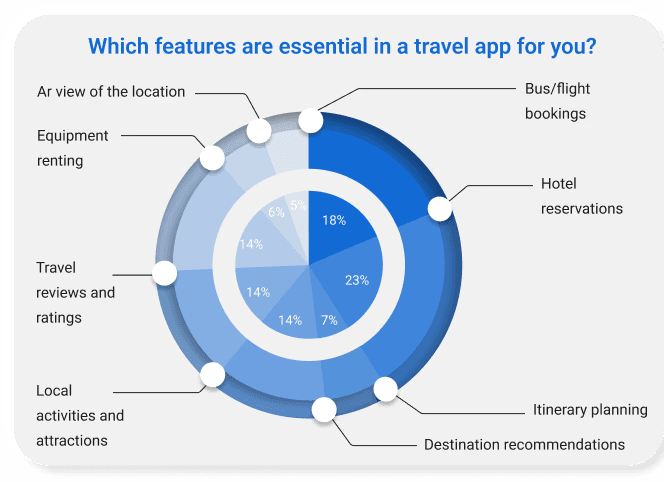
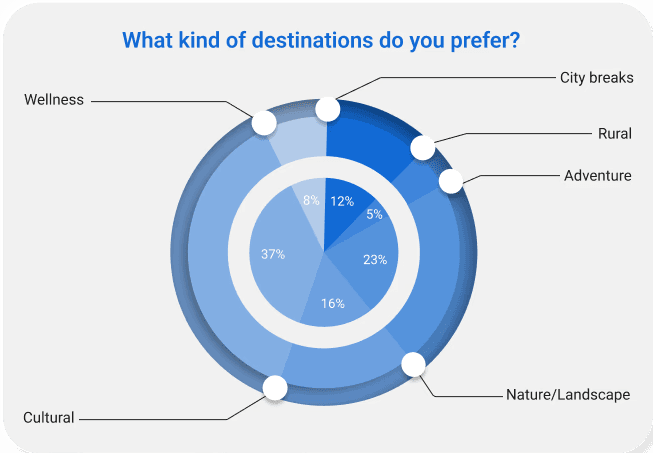
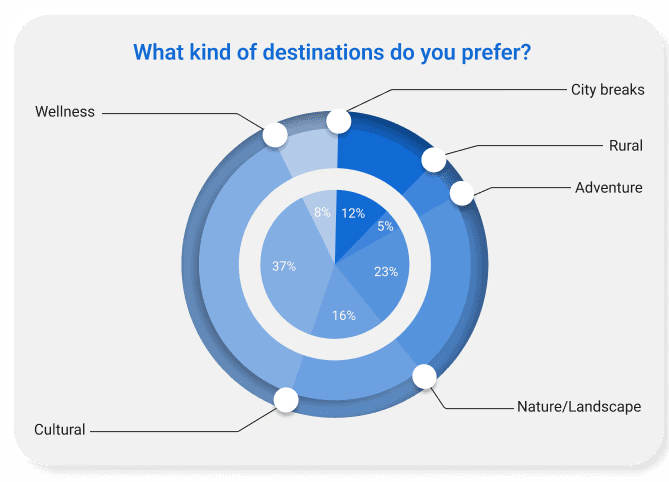
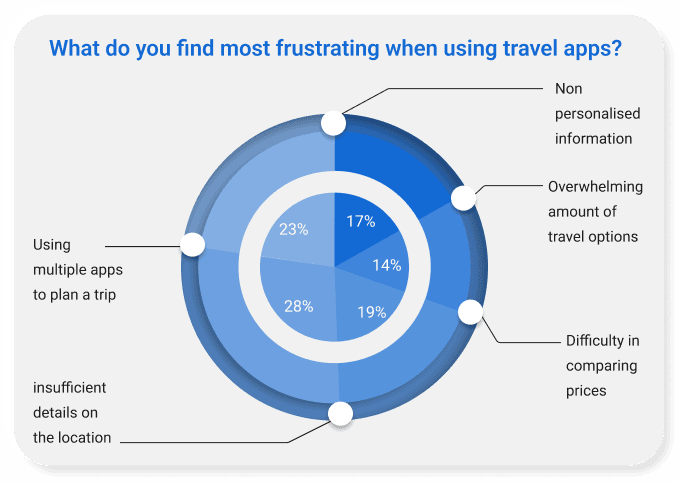
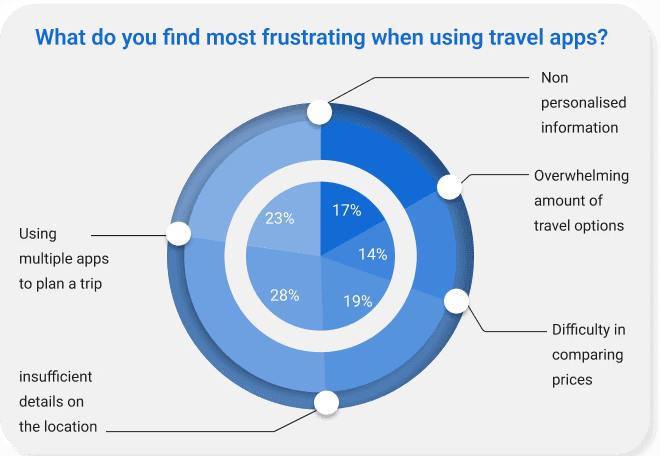
Quantitative Research
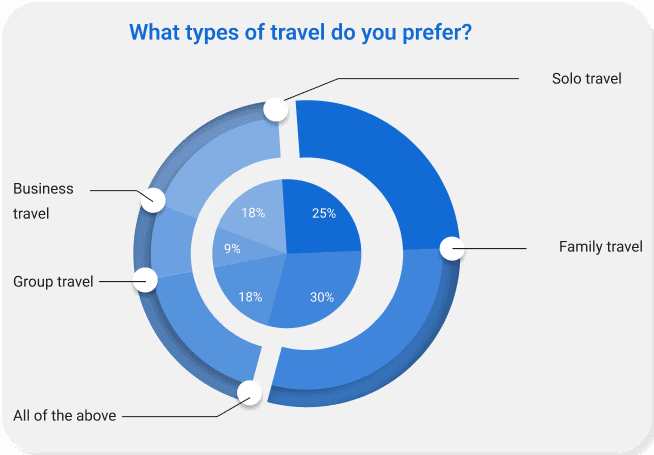
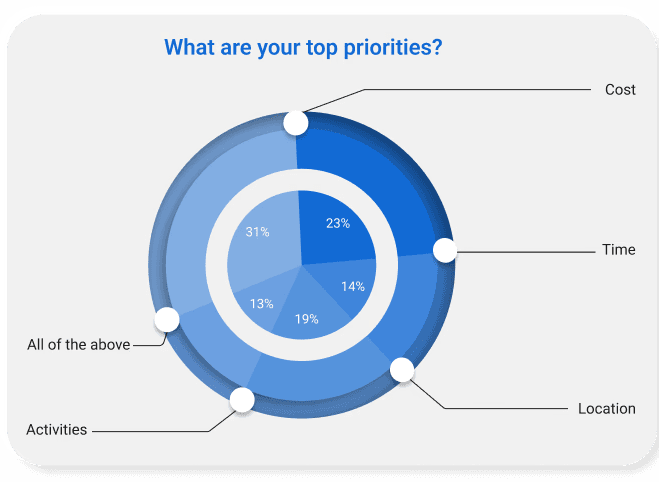
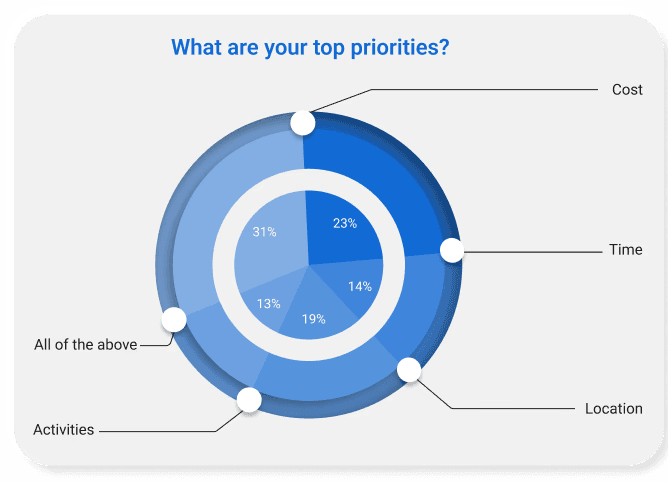
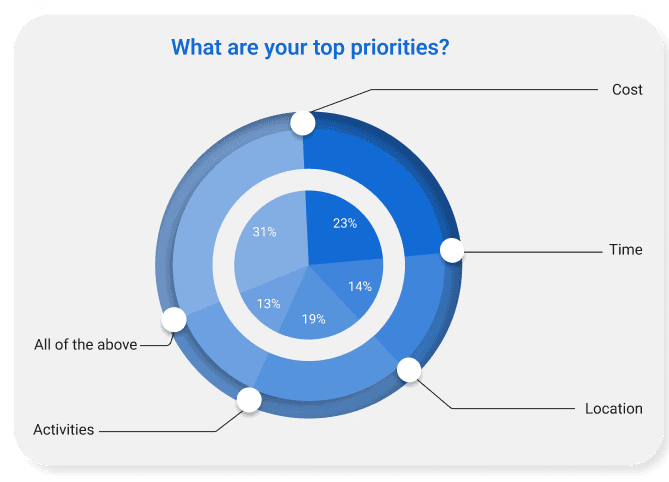
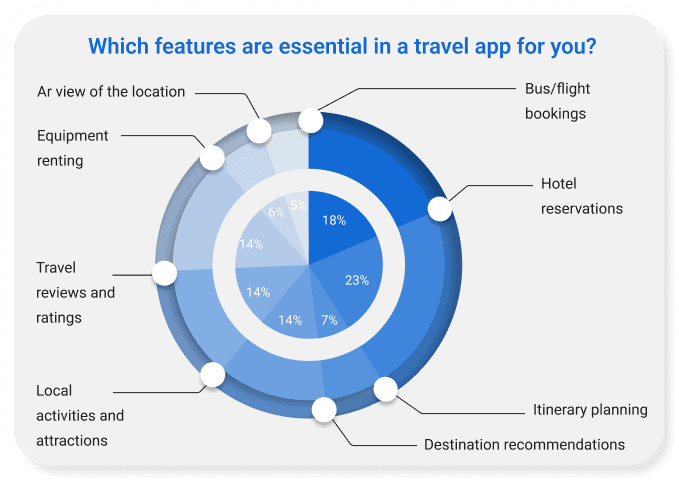
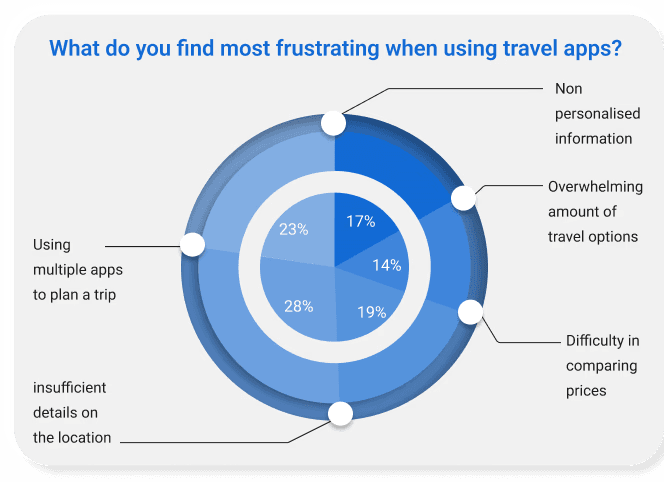
During the research, the goal was to see if the problem found in quantitative research is faced by other users too or not.

During the research, the goal was to see if the

problem found in quantitative research is faced by

other users too or not.

During the research, the goal was to see if the problem found in quantitative research is faced by other users

too or not.

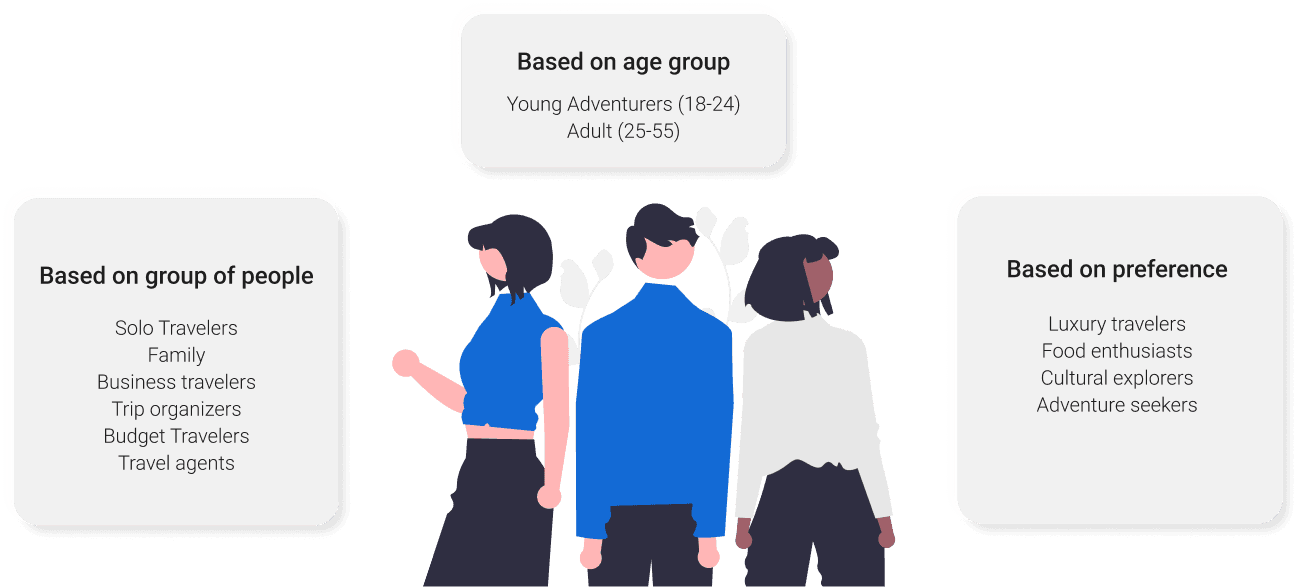
User segmentation

These findings help in understanding the gaps in the market and potential opportunities for improvement and innovation.

During the research, the goal was to see if the

problem found in quantitative research is faced by

other users too or not.

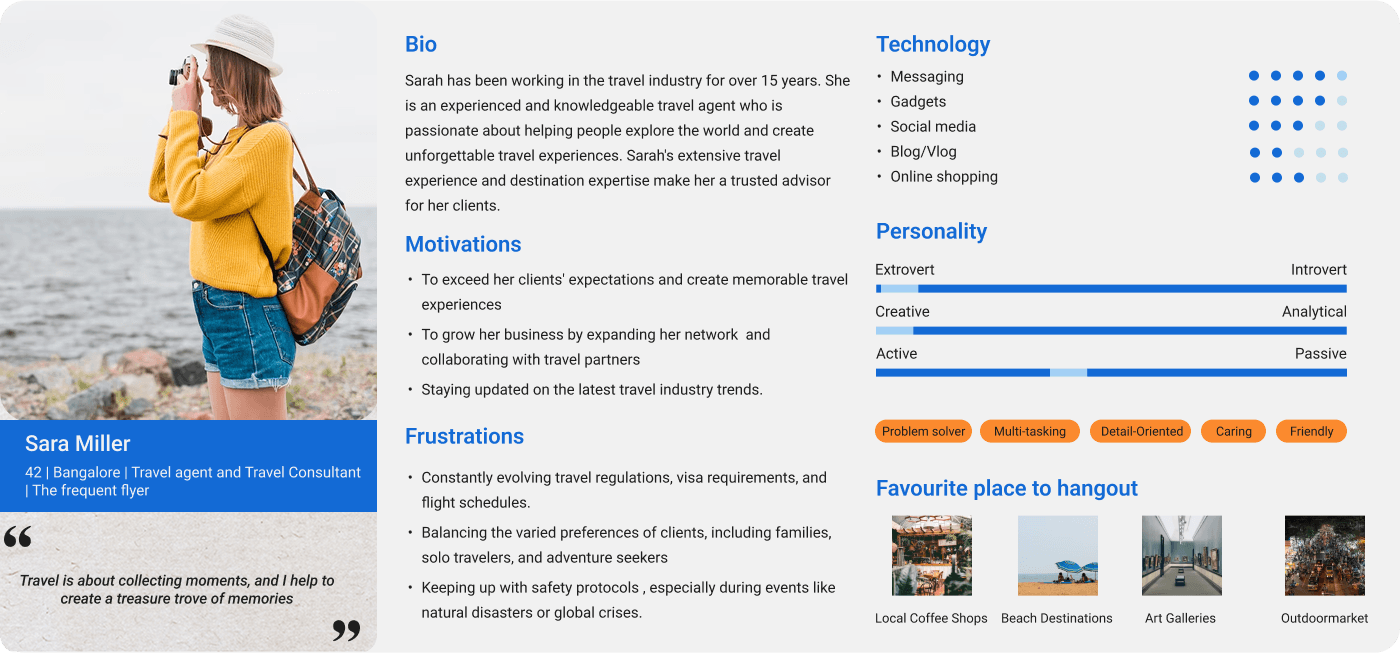
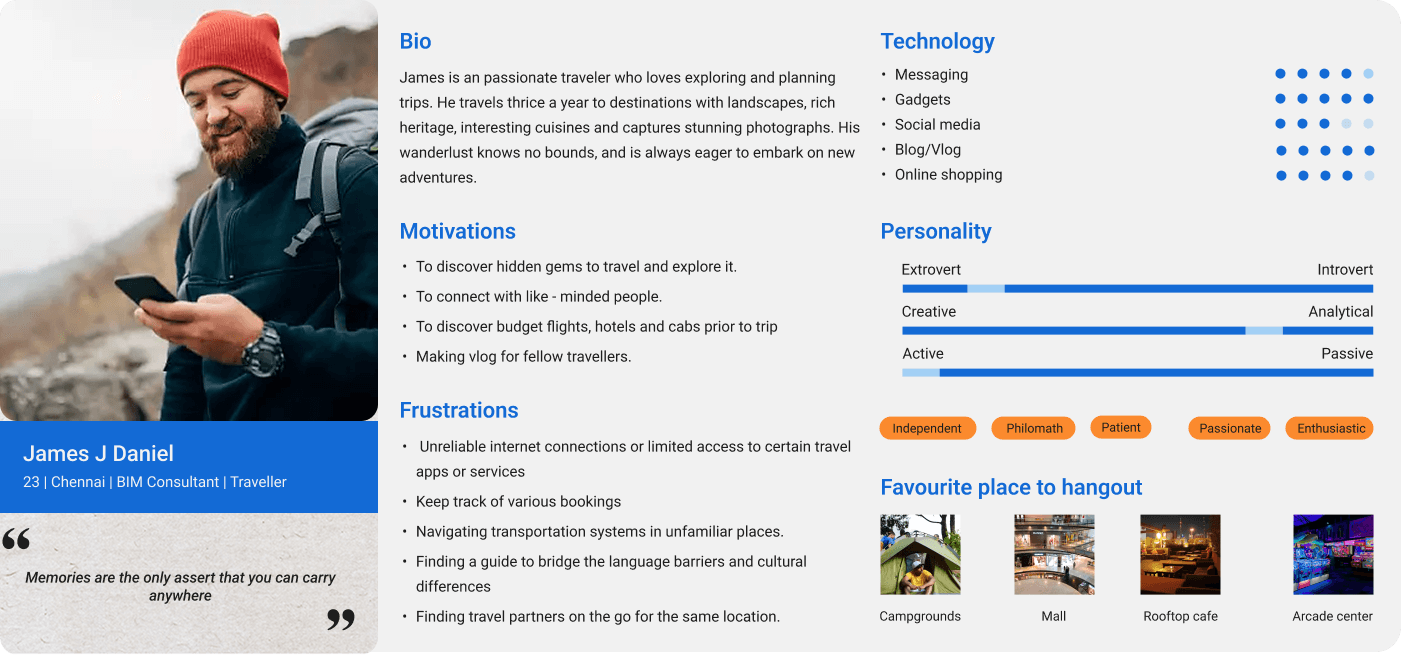
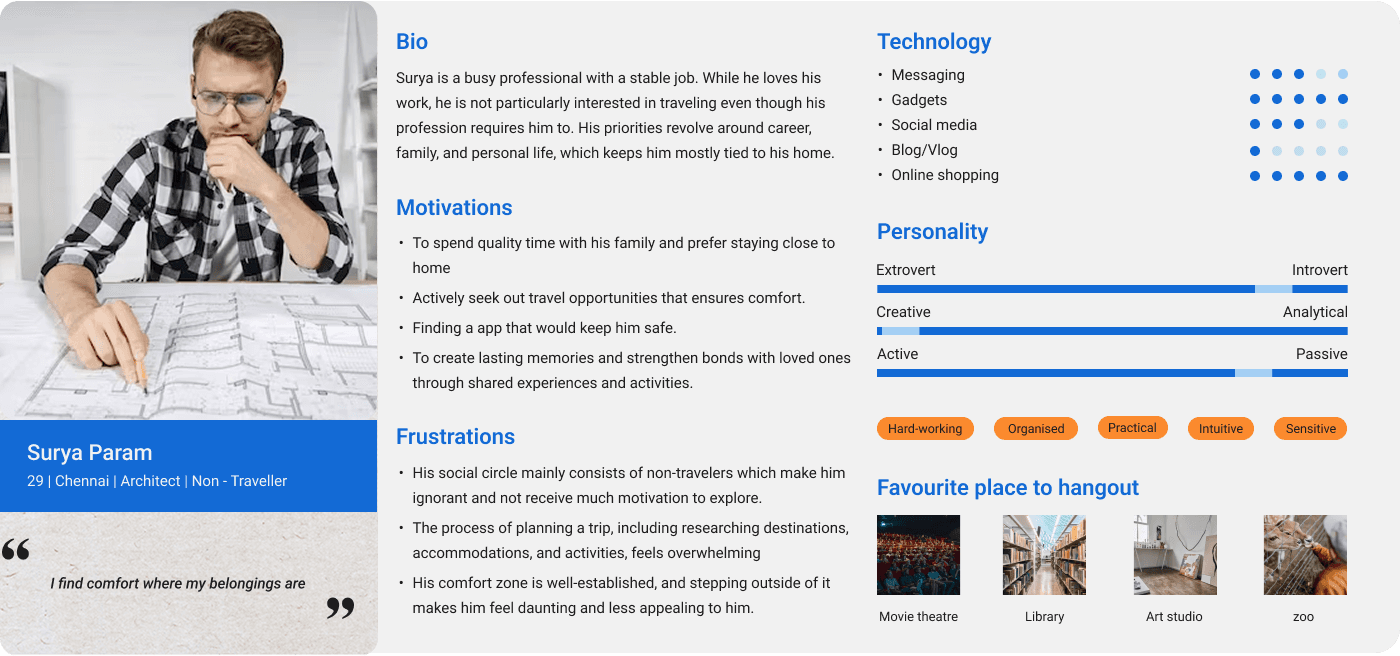
User Persona

Creating personas allows us to better understand who we are designing for. The requirement of seemingly similar people can be quite different. I create two personas based on earlier research. By

identifying their problems and needs I was able to design the best possible user exerperience

During the research, the goal was to see if the

problem found in quantitative research is faced by

other users too or not.

Creating personas allows us to better understand who we are designing for. The requirement of seemingly similar people can be quite different. I create two

personas based on earlier research. By identifying their problems and needs I was able to design the best possible user exerperience

Empathy mapping

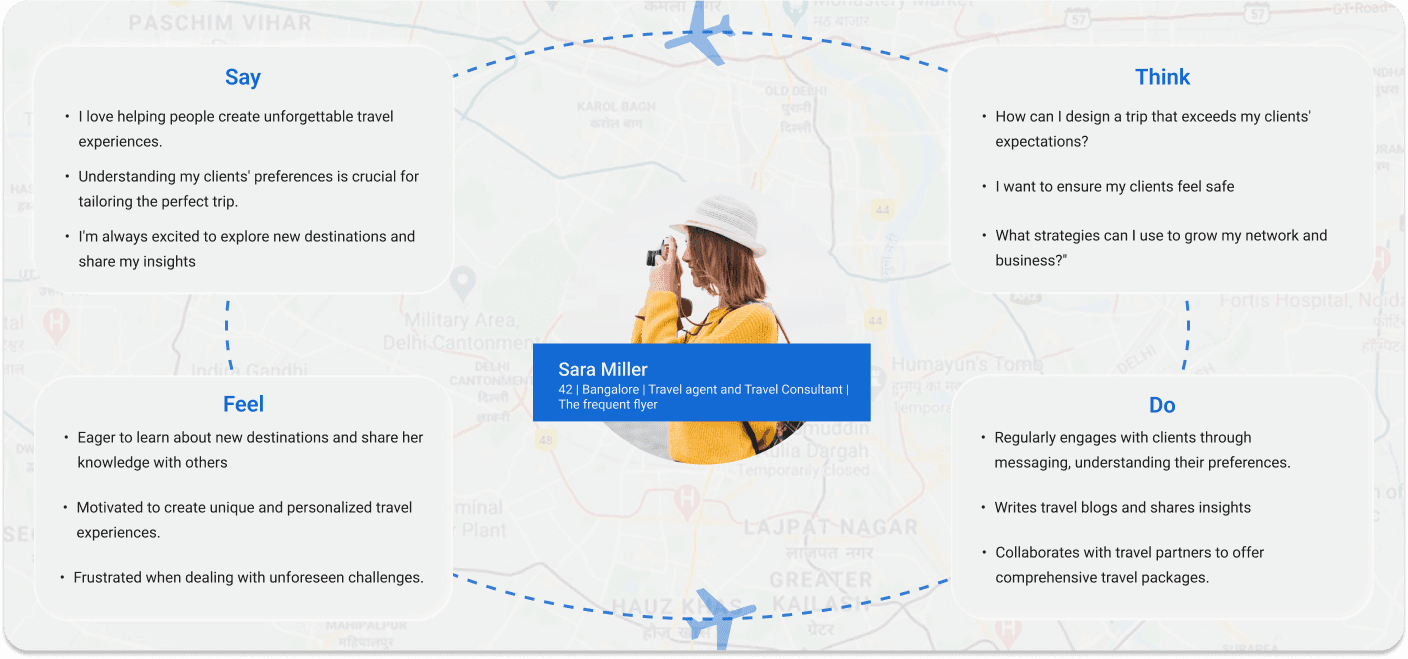
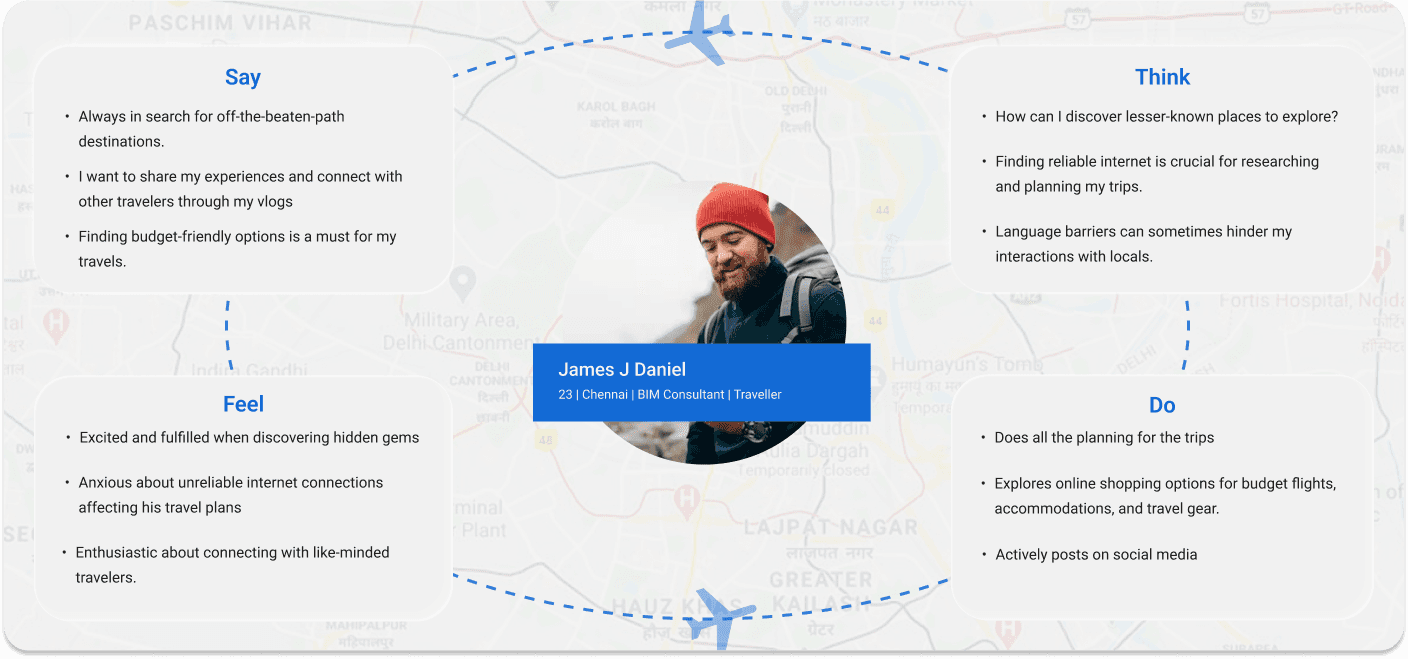
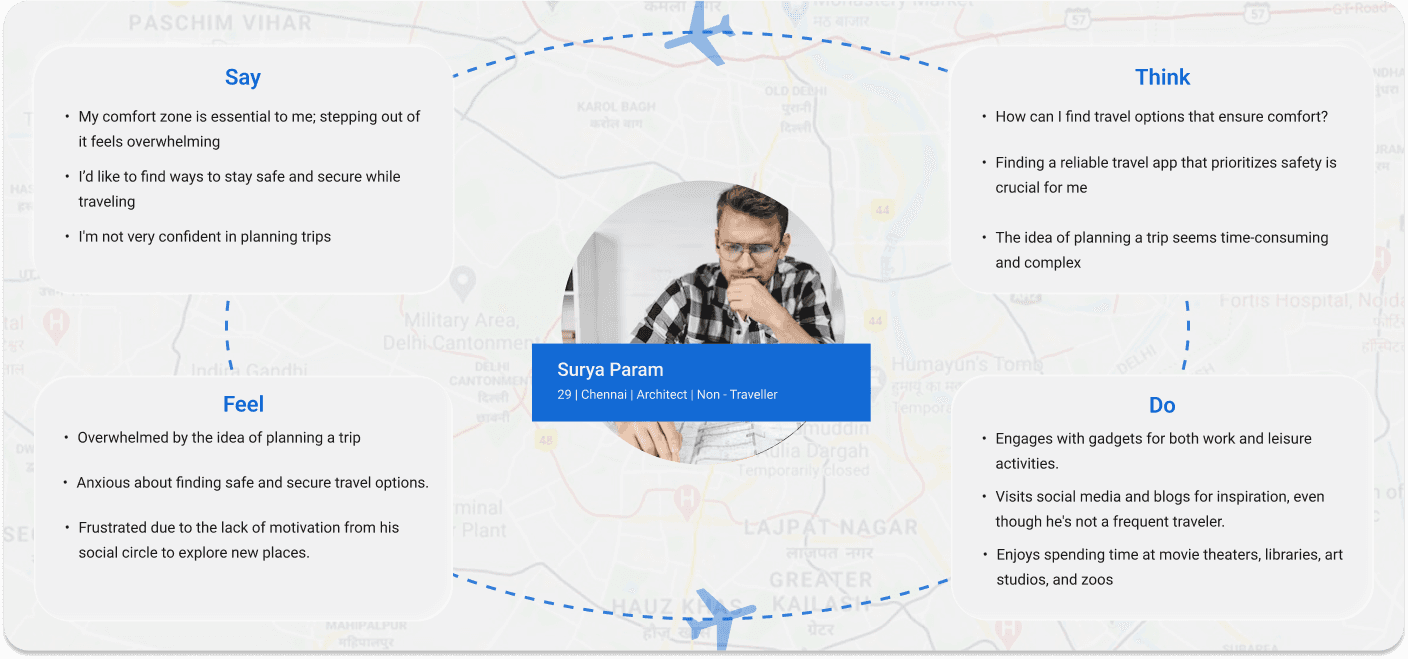
The empathy map is an easy-to-read chart that shows us the most important things we have learned about a particular type of user. By default, it consists of four parts, but in order to get to know the

user more deeply I have separate down into 6 sub divisions.

During the research, the goal was to see if the

problem found in quantitative research is faced by

other users too or not.

Competitior Analysis

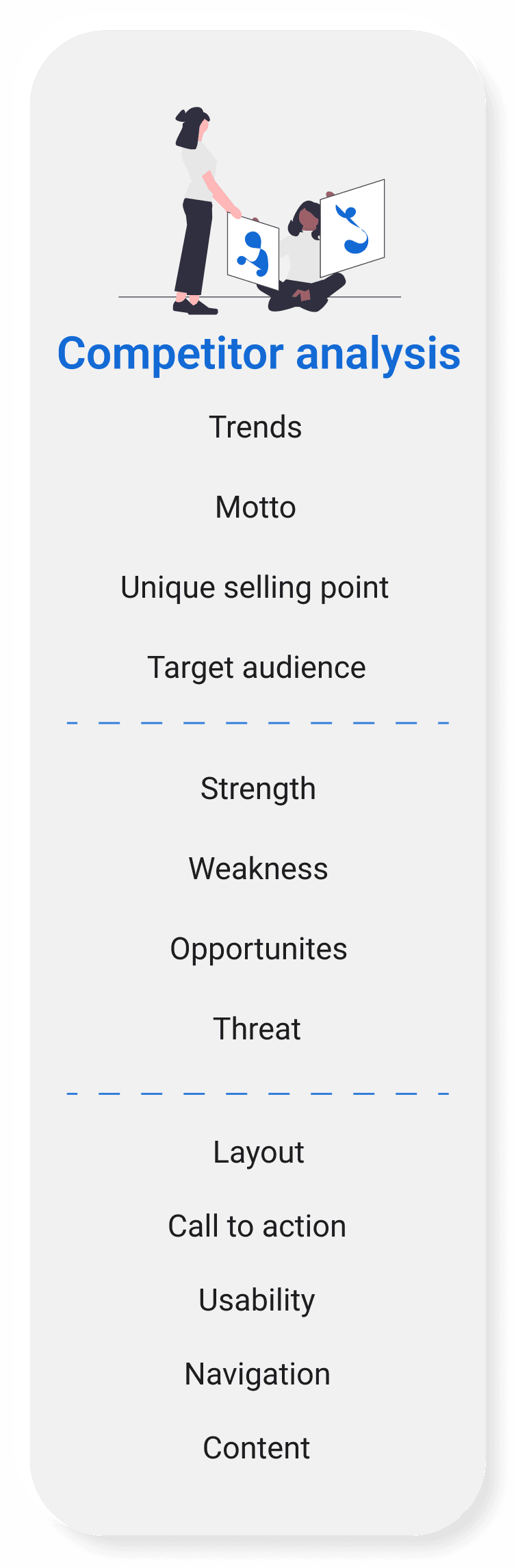
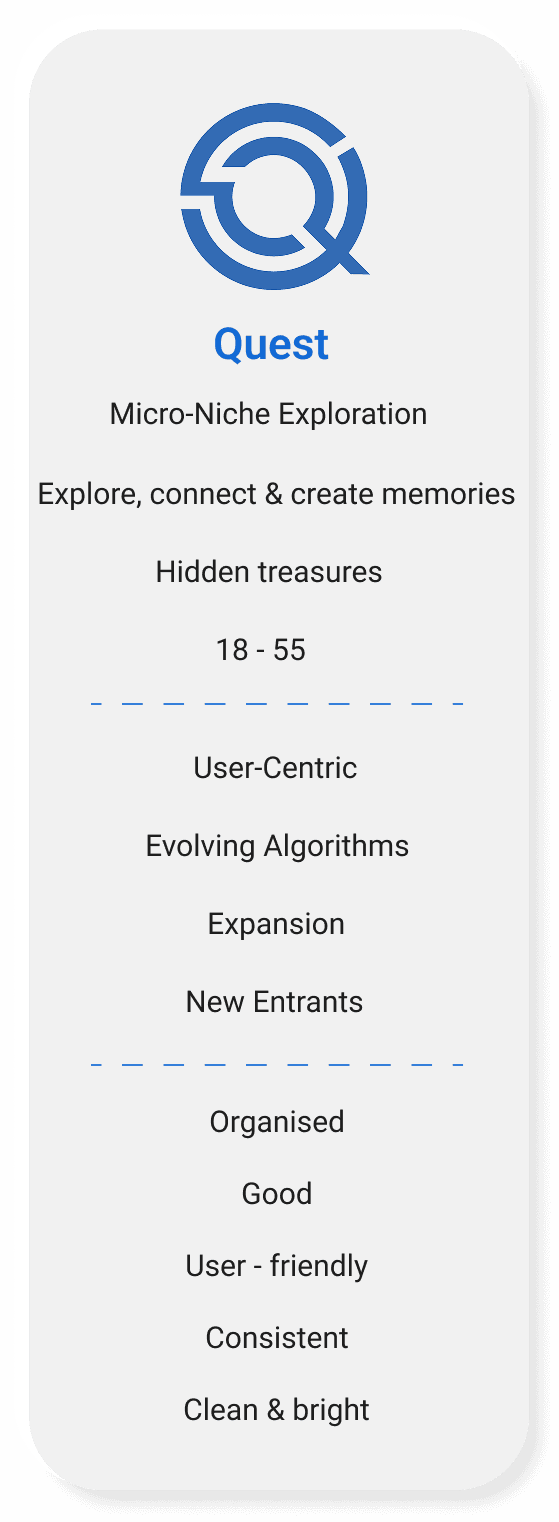
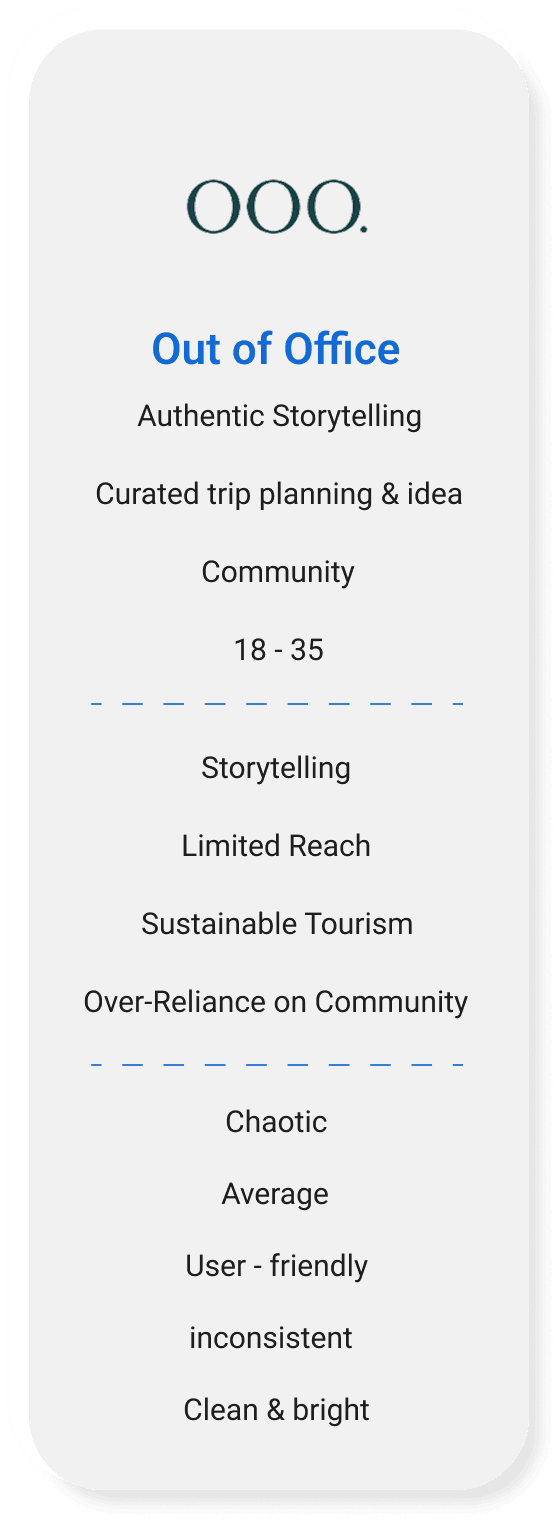
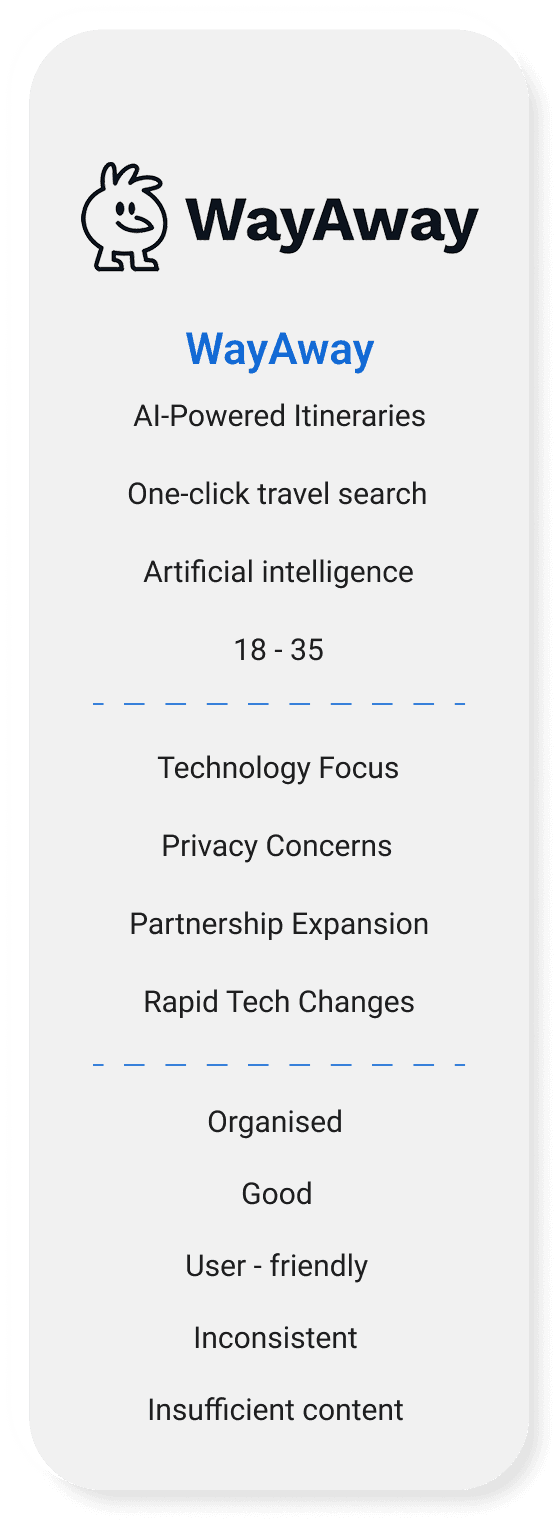
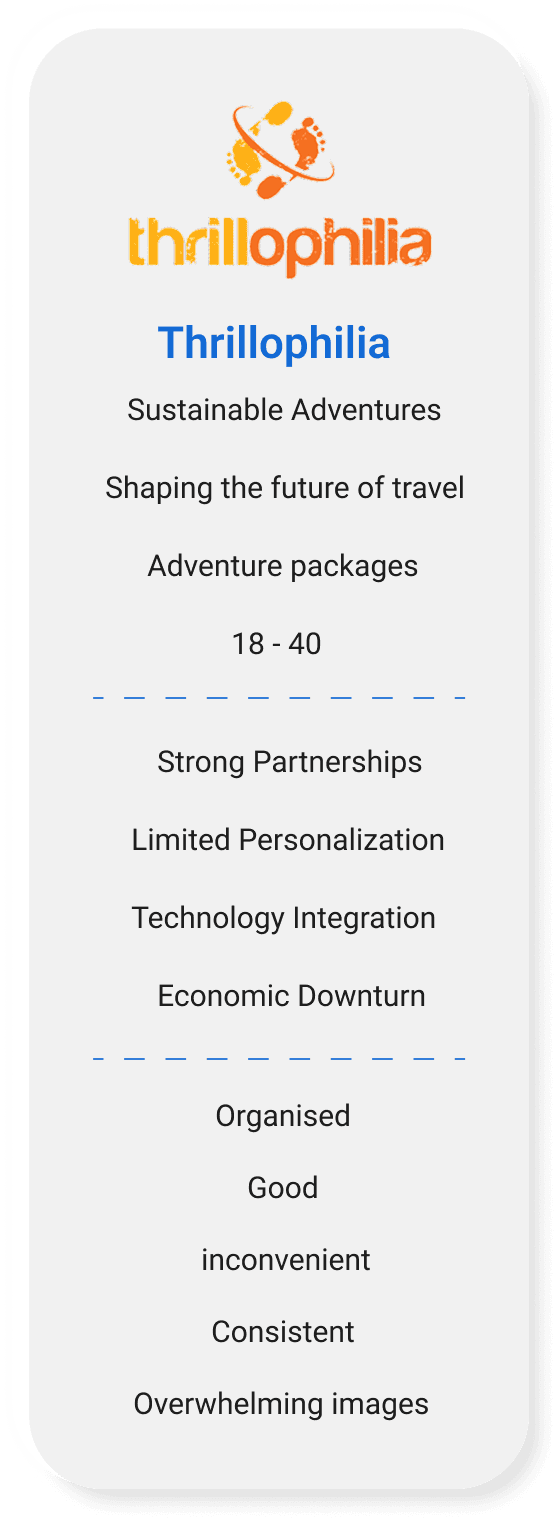
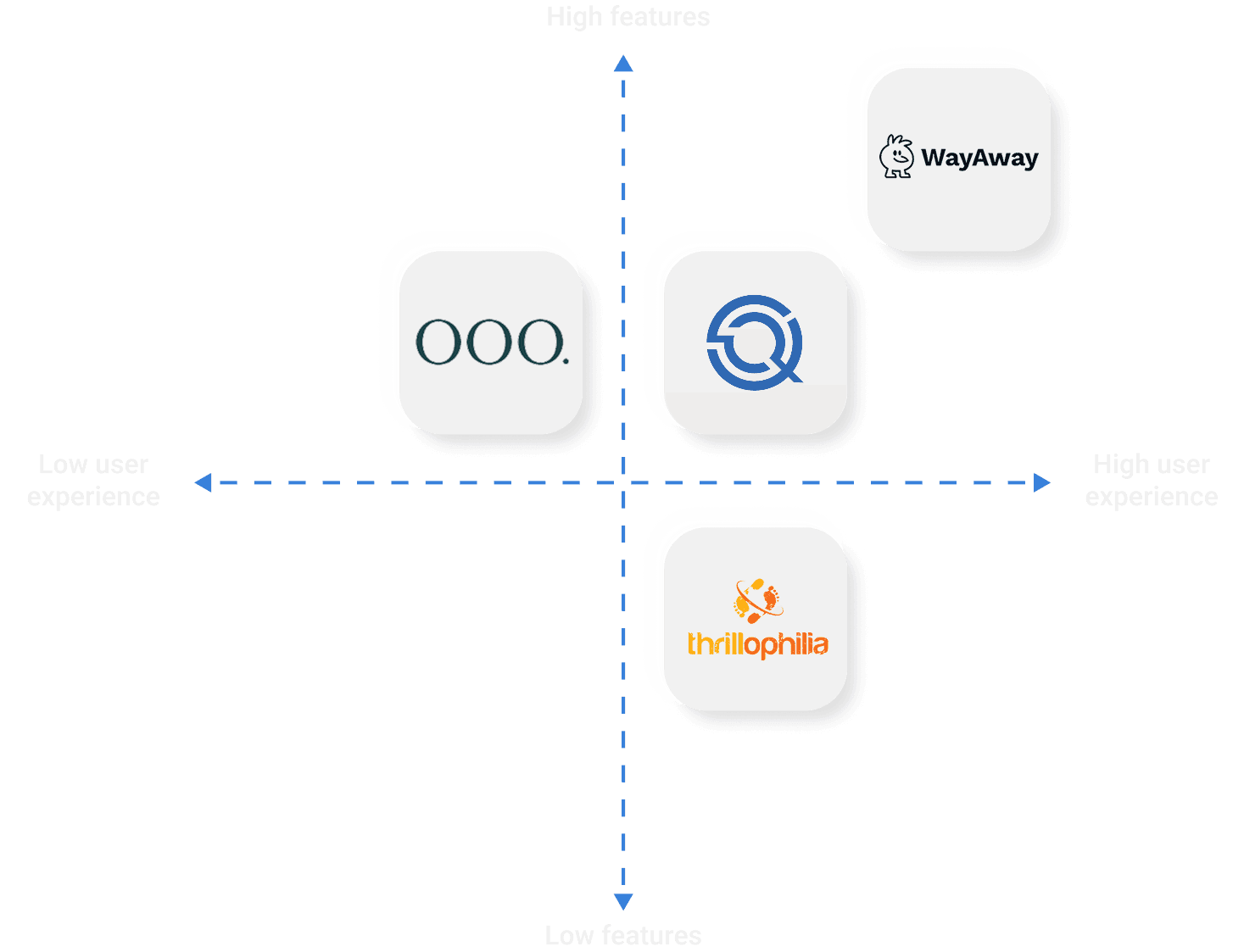
Competitor analysis is a strategy where I identified major competitors and went through their products thoroughly. It helped me analyze how this product works, its way of processing, and its product

work overall.

During the research, the goal was to see if the

problem found in quantitative research is faced by

other users too or not.

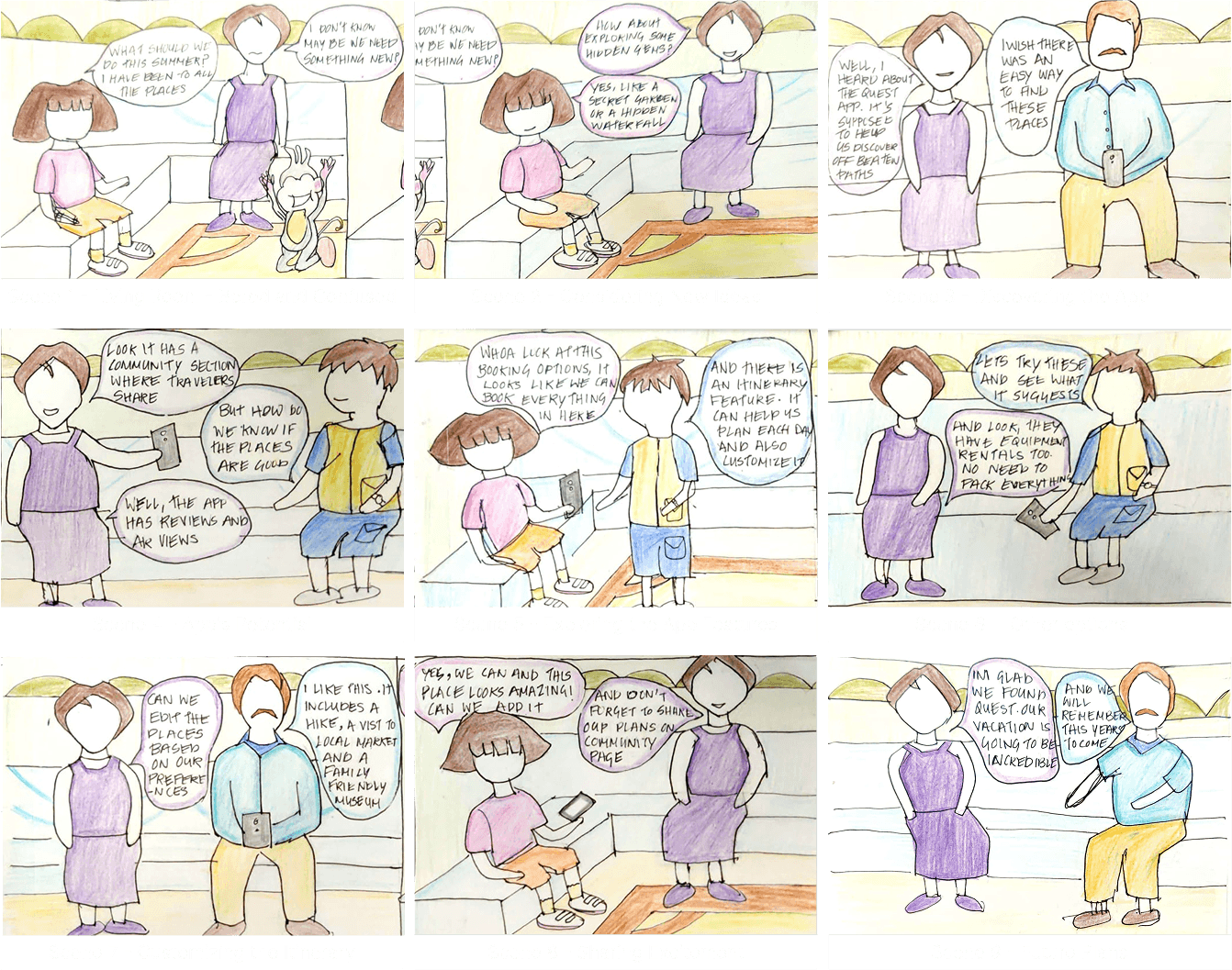
Story Board - Dora the Explorer

A storyboard is a visual representation of how a user will interact with an application or interface. A storyboard is also used to demonstrate the process that the user will go through when using a product

During the research, the goal was to see if the

problem found in quantitative research is faced by

other users too or not.

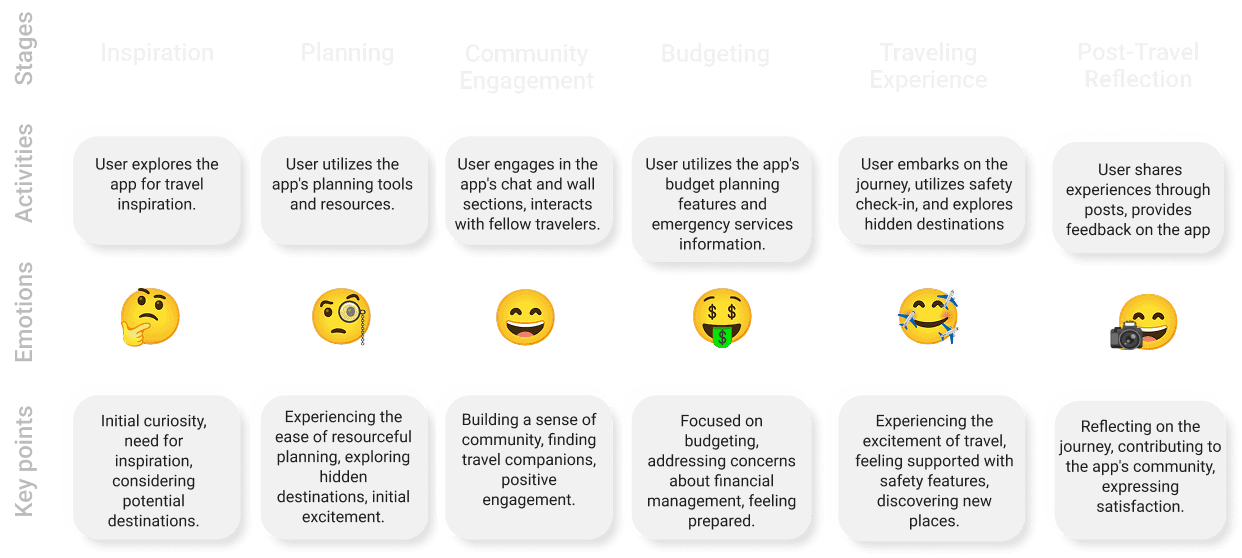
User Journey Map


From initial inspiration to post-travel reflection, our travel app guides users seamlessly through planning, community engagement, budgeting, and safety, ensuring a comprehensive and satisfying

journey from start to finish.


During the research, the goal was to see if the

problem found in quantitative research is faced by

other users too or not.

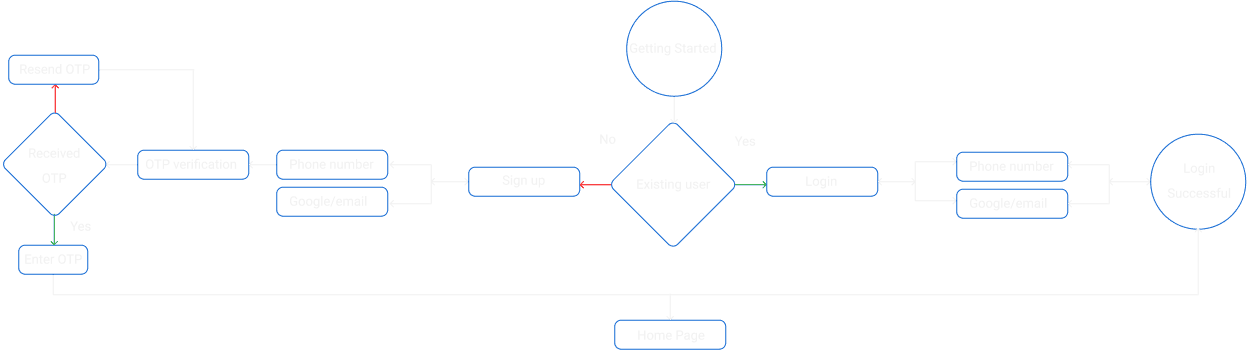
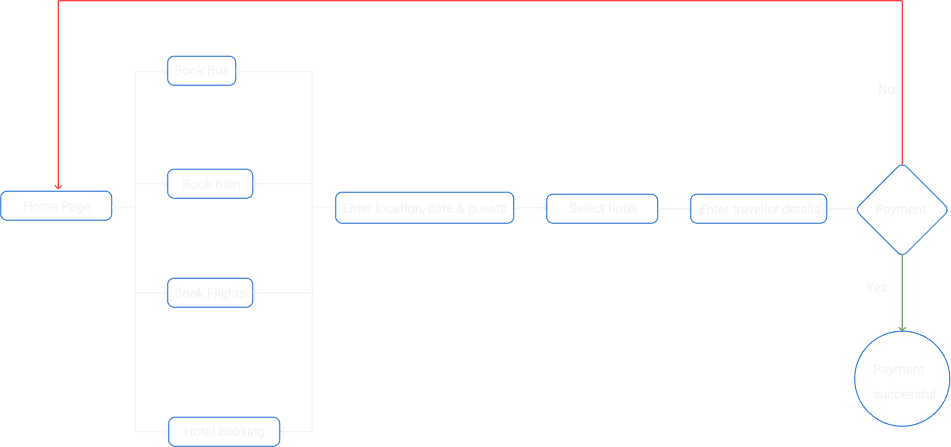
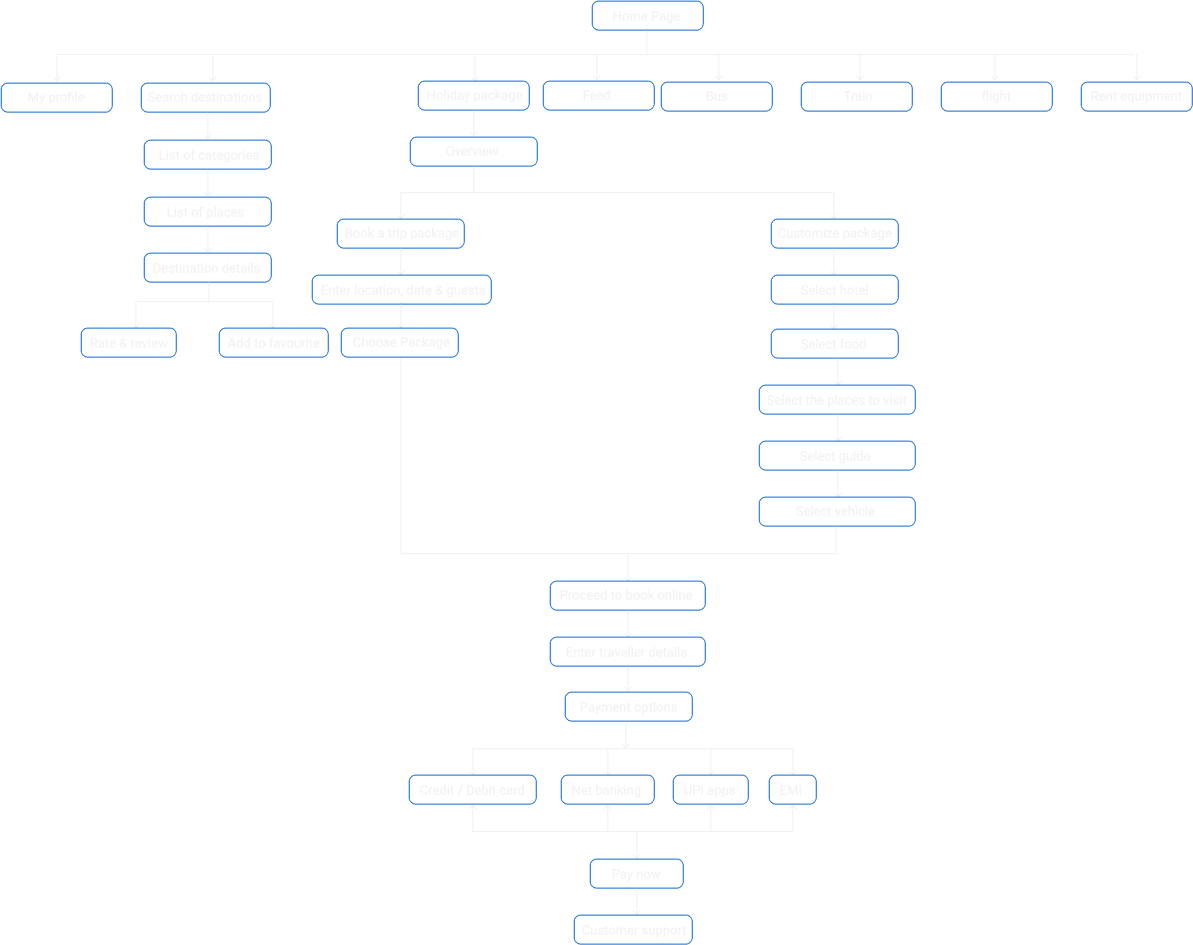
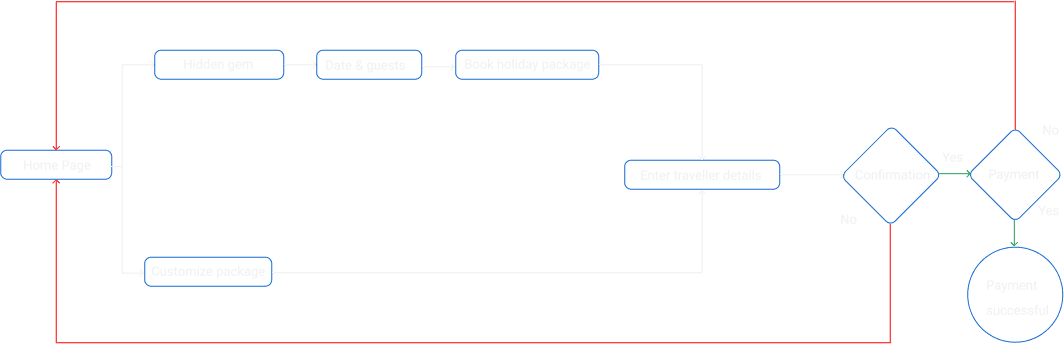
User flow

User flow reflects the user’s progress from the launch of the application to the discovery of all functionalities in the app and doing some actions

User flow

User flow reflects the user’s progress from the launch

of the application to the discovery of all functionalities

in the app and doing some actions

Task 1 - login

Task 1 - login

Task 2 - Bookings

Task 3 -Destination search and holiday package
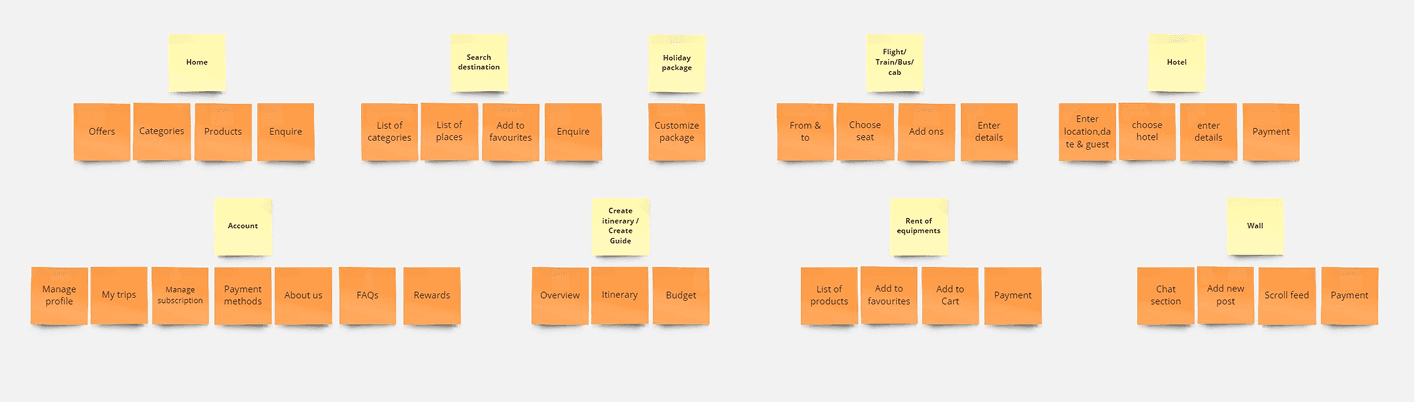
Card Sorting

Card sorting is a UX research technique for discovering how people understand and categorize information. Card sorting create a foundation for robust information architecture which allow for the

creation of navigation system that matches user expectation

Card sorting is a UX research technique for discovering how people understand and categorize information. Card sorting create a foundation for robust information

architecture which allow for the creation of navigation system that matches user expectation

Card Sorting

During the research, the goal was to see if the

problem found in quantitative research is faced by

other users too or not.

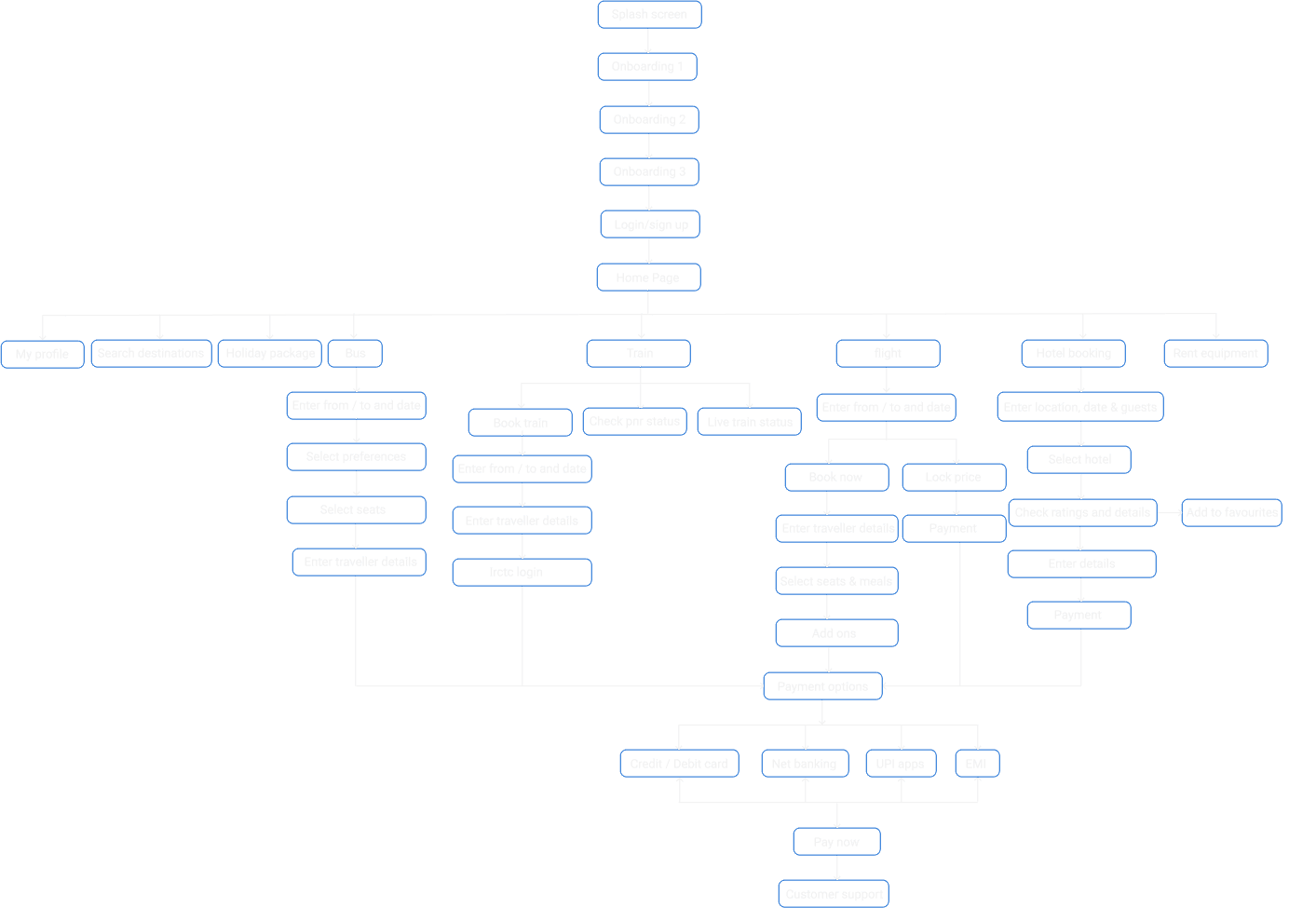
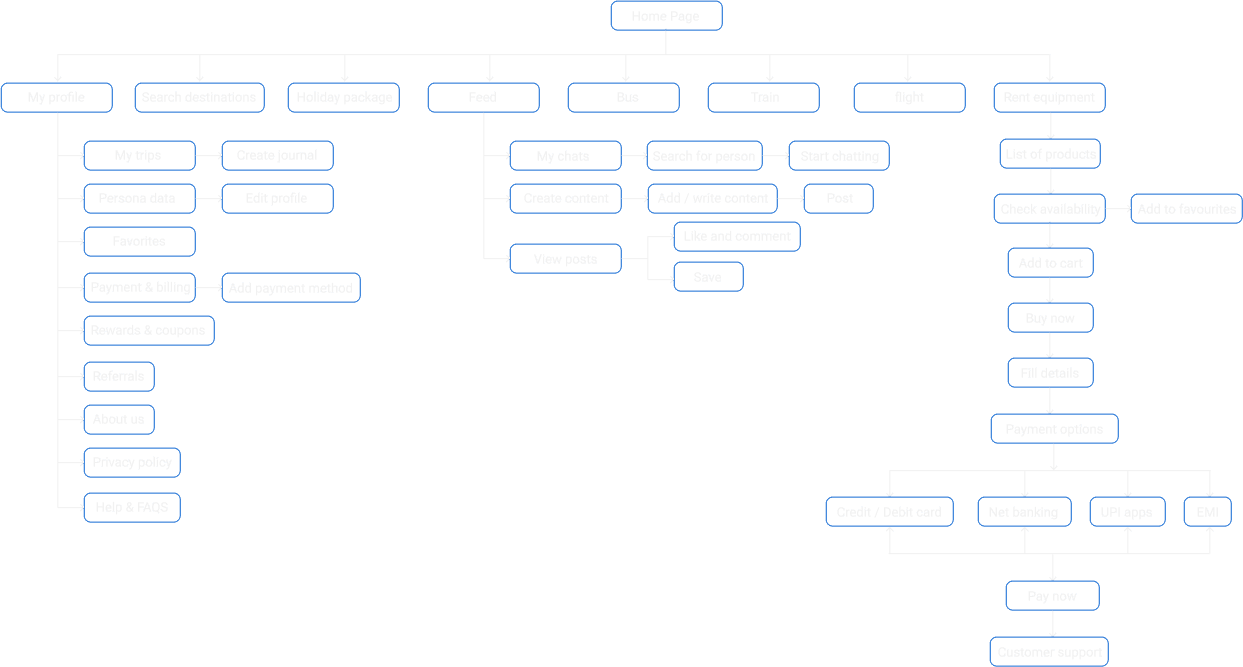
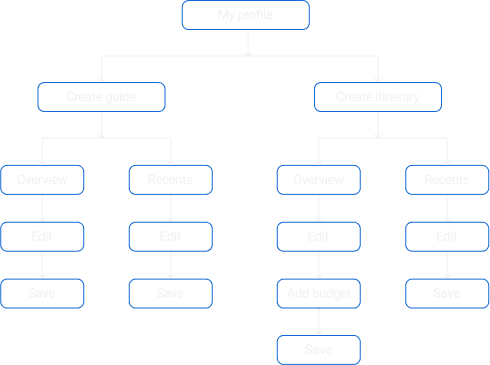
Information Architecture

Information architecture in UX is the organization and structure of content, features, and functionality within a digital product, aiming to enhance user understanding and navigation.

Information architecture in UX is the organization and structure of content, features, and functionality within a digital product, aiming to enhance user

understanding and navigation.

Information architecture in UX is the organization and structure of content, features, and functionality

within a digital product, aiming to enhance user understanding and navigation.

Task 1 - Bookings

Task 2 - Profile, equipment renting and feed

Task 2 - Profile, equipment
renting and feed

Task 3 -Destination search and holiday package
Task 3 -Destination search and
holiday package

Task 4 -Create itinerary & guide

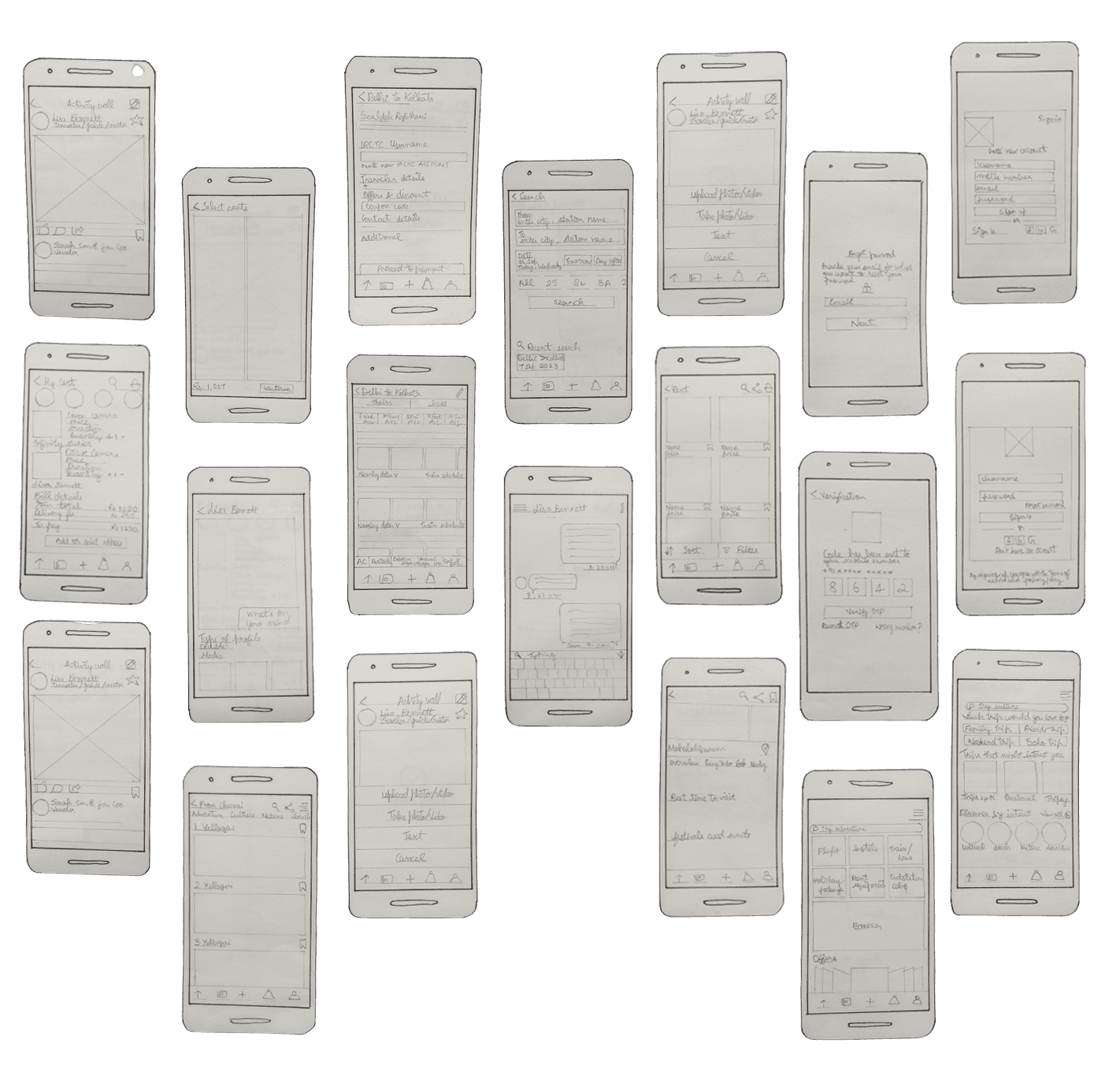
Low fidelity

I sketched simple representations of the design to test and communicate basic concepts and functionality.
Mid fidelity
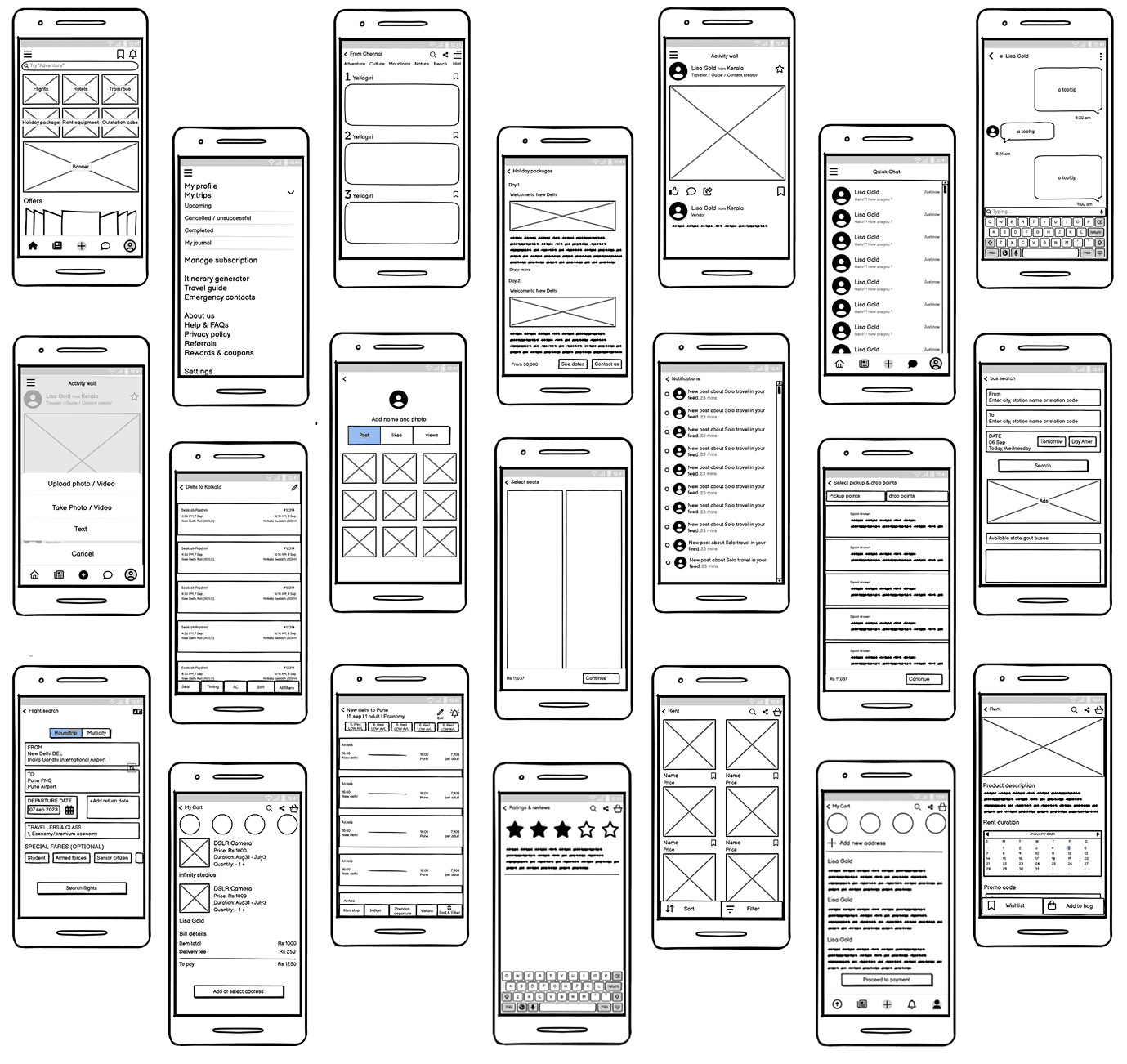
I generated mid-fidelity prototypes using balsamiq, incorporating more design details than low-fidelity versions but without the full visual polish of high-fidelity prototypes.

I generated mid-fidelity prototypes using balsamiq,

incorporating more design details than low-fidelity

versions but without the full visual polish of high-fidelity prototypes.

I generated mid-fidelity prototypes using balsamiq, incorporating more design details than low-fidelity versions

but without the full visual polish of high-fidelity prototypes.

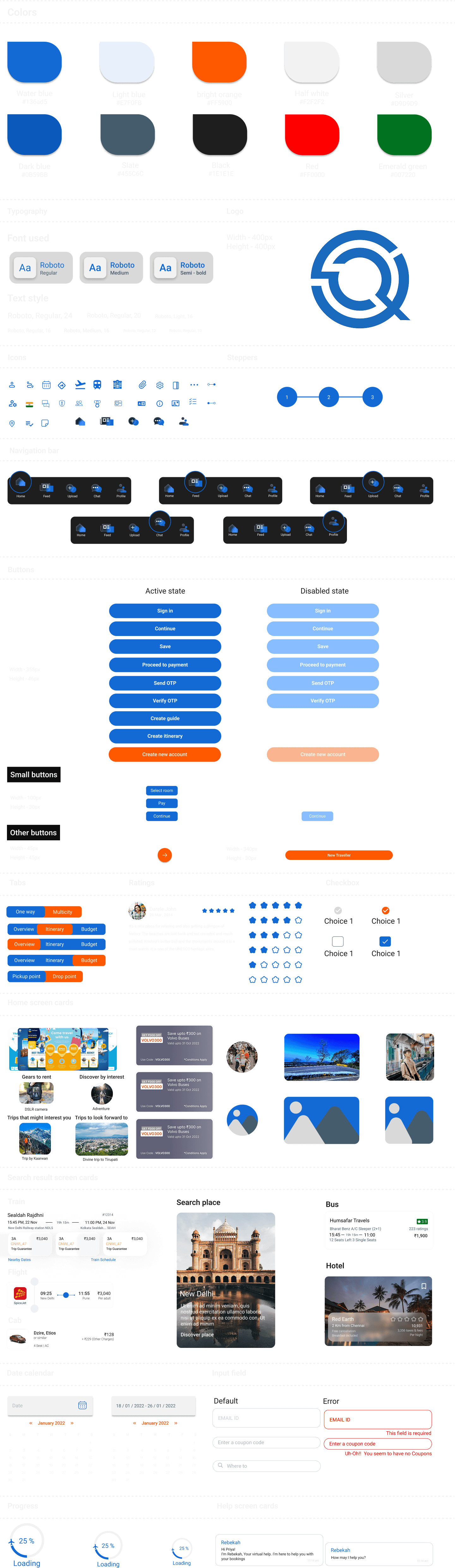
Style guide

I created the style guide and documented the core components used in the design, offering a clear reference

I created the style guide and documented the core components used in the design, offering a clear reference

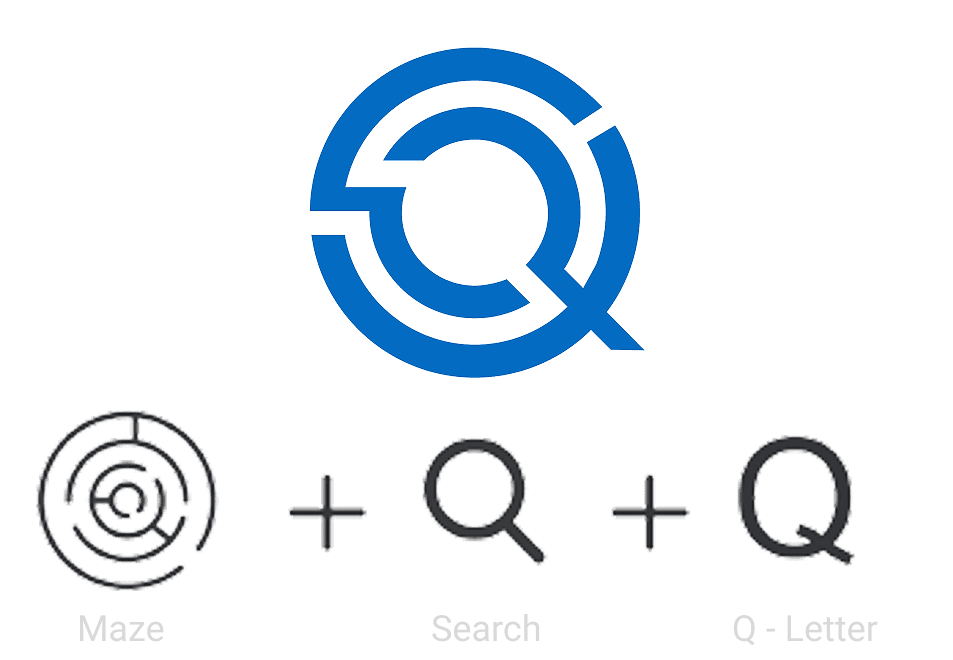
Logo

High fidelity

We are all aware of how crucial a first impression is. If a problem arises early in the user's journey with the product, we can lose the opportunity to remedy it. I want the programme to be visually

appealing, have an easy- to-use UI, and not be overly information-loaded in order to encourage users to utilise it.These final Hi-fidelity screens are shown below.

We are all aware of how crucial a first impression is. If a problem arises early in the user's journey with the product, we can lose the opportunity to remedy it. I want the programme to be visually

appealing, have an easy- to-use UI, and not be overly information-loaded in order to encourage users to utilise it.These final Hi-fidelity screens are shown below.

We are all aware of how crucial a first impression is. If a problem arises early in the user's journey with the product, we can lose the opportunity to remedy it. I want the programme to be visually

appealing, have an easy- to-use UI, and not be overly information-loaded in order to encourage users to utilise it.These final Hi-fidelity screens are shown below.

We are all aware of how crucial a first impression is. If a problem arises early in the user's journey with the product, we can lose the opportunity to remedy it. I want the programme to be visually appealing, have an easy- to-use UI, and not be overly information-loaded in order to encourage users to utilise it.These final Hi-fidelity screens are shown below.

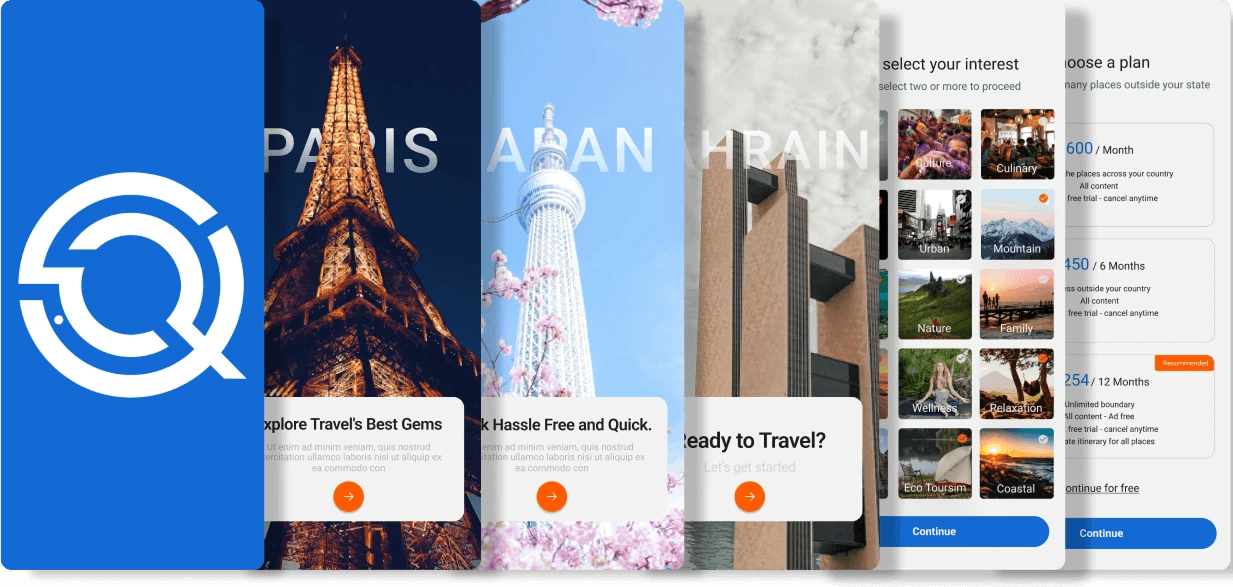
Onboarding screens

The application's onboarding screens are utilised for users and is intended to introduce the application's principal idea and purpose.

The application's onboarding screens are utilised for users and is intended to introduce the application's principal idea and purpose.

The application's onboarding screens are utilised for users and is intended to introduce the application's principal idea and purpose.

The application's onboarding screens are utilised for users and is intended to introduce the application's principal idea and purpose.

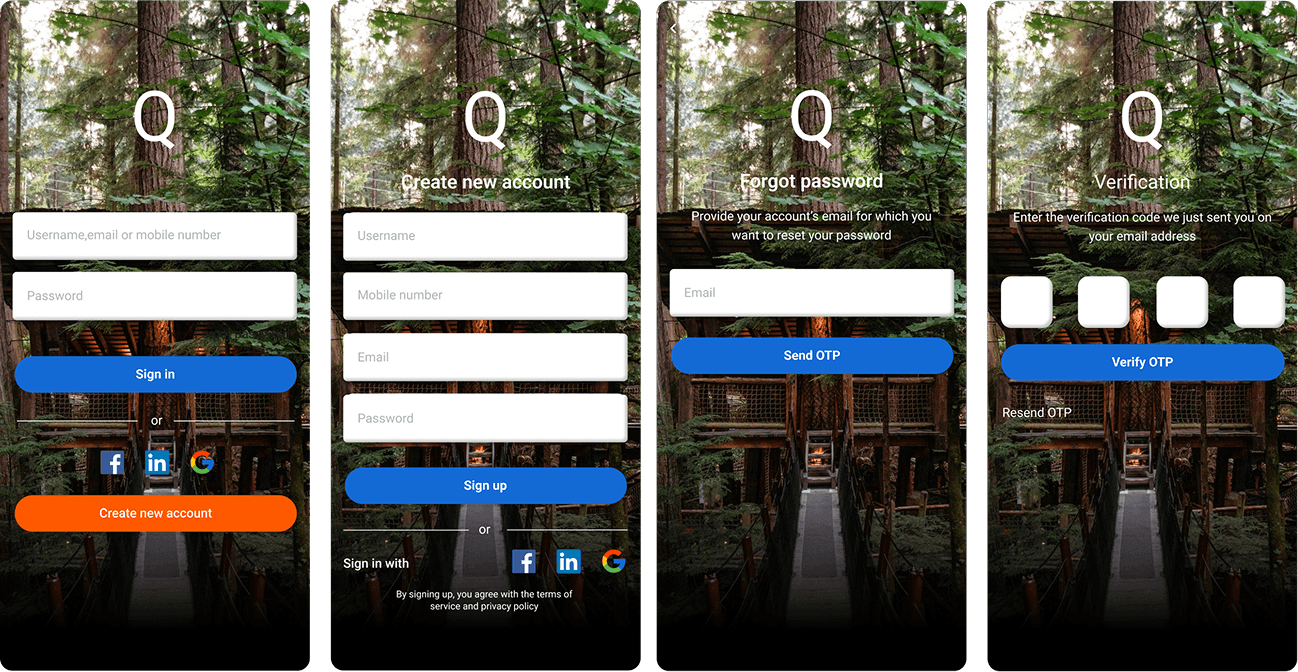
Sign in, Sign up & OTP

The application's onboarding screens are utilised for users and is intended to introduce the application's principal idea and purpose.

The application's onboarding screens are utilised for users and is intended to introduce the application's principal idea and purpose.

The application's onboarding screens are utilised for users and is intended to introduce the application's principal idea and purpose.

The application's onboarding screens are utilised for users and is intended to introduce the application's principal idea and purpose.

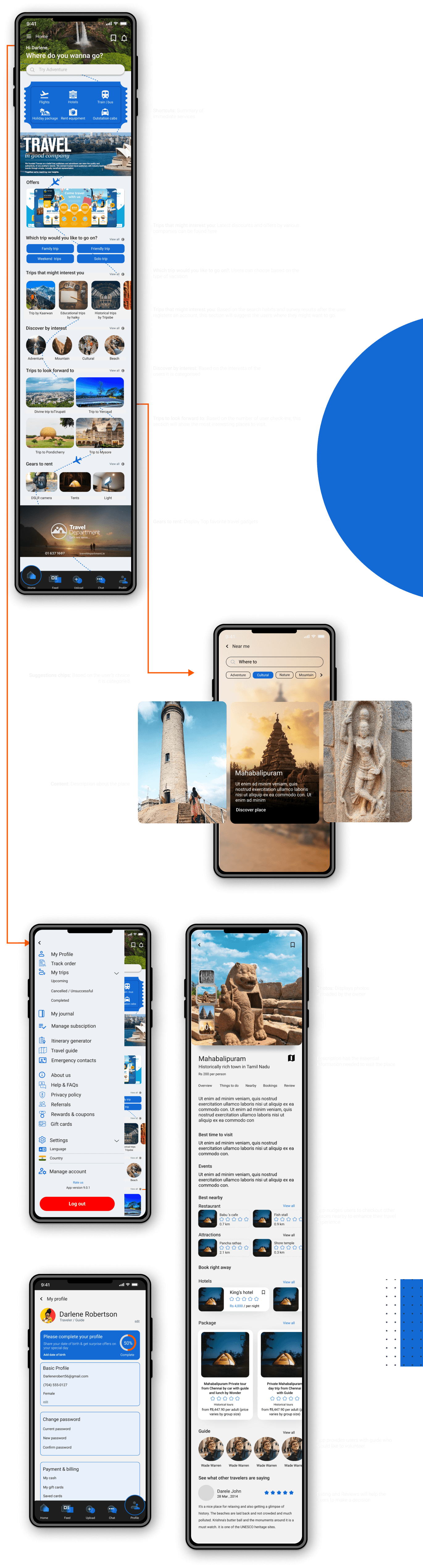
01

Home
Home feed, profile, & Search screen.

The home page is moved immediately
when the user sign in is successful. This is
the site of discovery, providing the
latest and hottest travel contents.
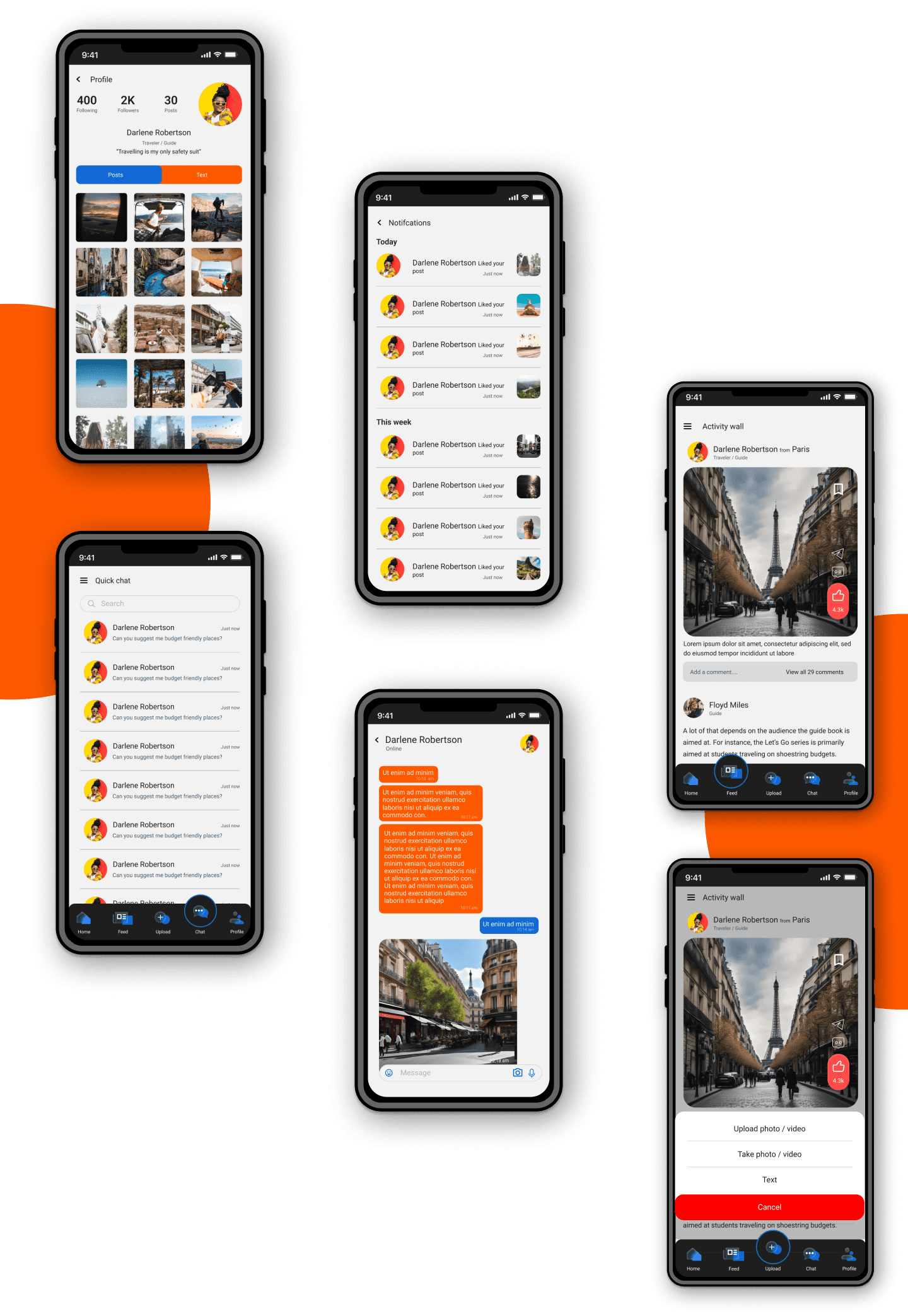
02

Feed
Feed, Chat, profile, & upload screen.

The Feed page is accessed from homepage.
Lets users join the community of travelers
and interact withlike minded people.
03

Rent equipment
Categories, Cart, buy, Payment, Review & Rating.
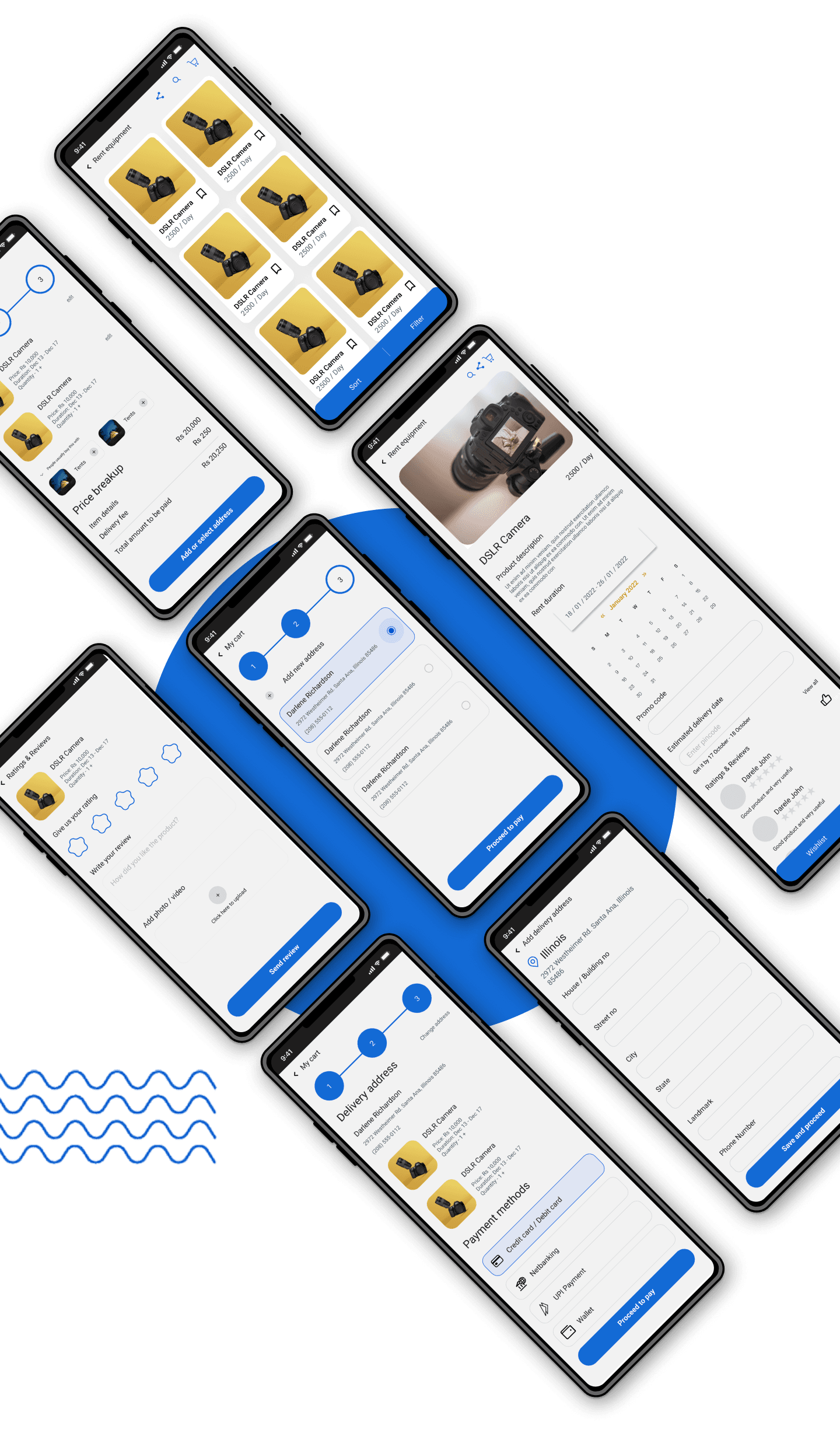
From hiking gear to water sports essentials, our user-friendly interface simplifies the

rental process, allowing you to focus on making lasting memories.


From hiking gear to water sports essentials, our user-friendly interface simplifies the rental process, allowing you to focus on making lasting memories.


04

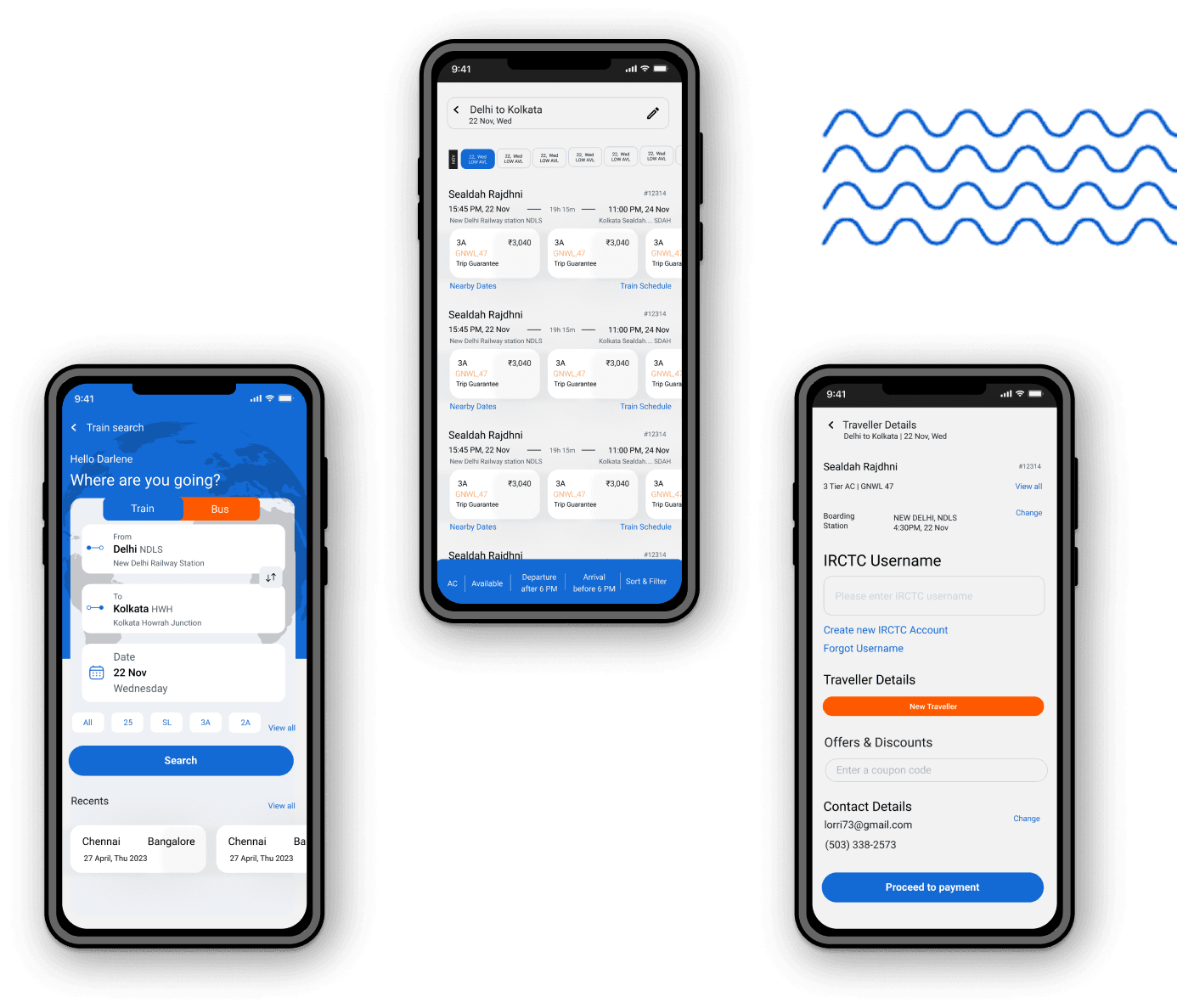
Train booking
Main screen, search & payment.

users can effortlessly plan their rail journeys
by selecting preferred destinations, dates,
and times.

05

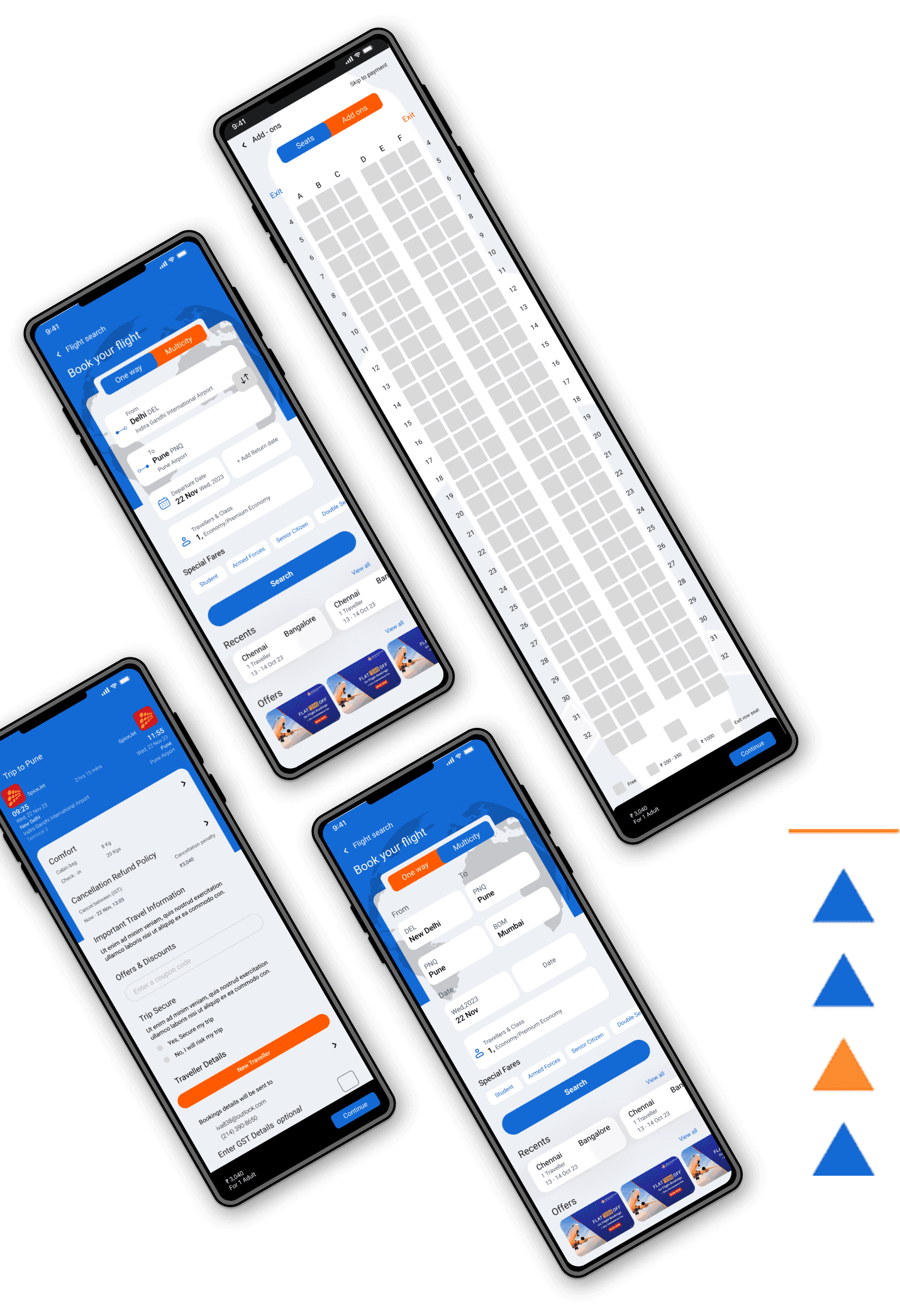
Flight booking
Search, Traveler detail & Payment.

Choose from a variety of airlines, set your travel dates, and finalize your booking in just a few taps.
06

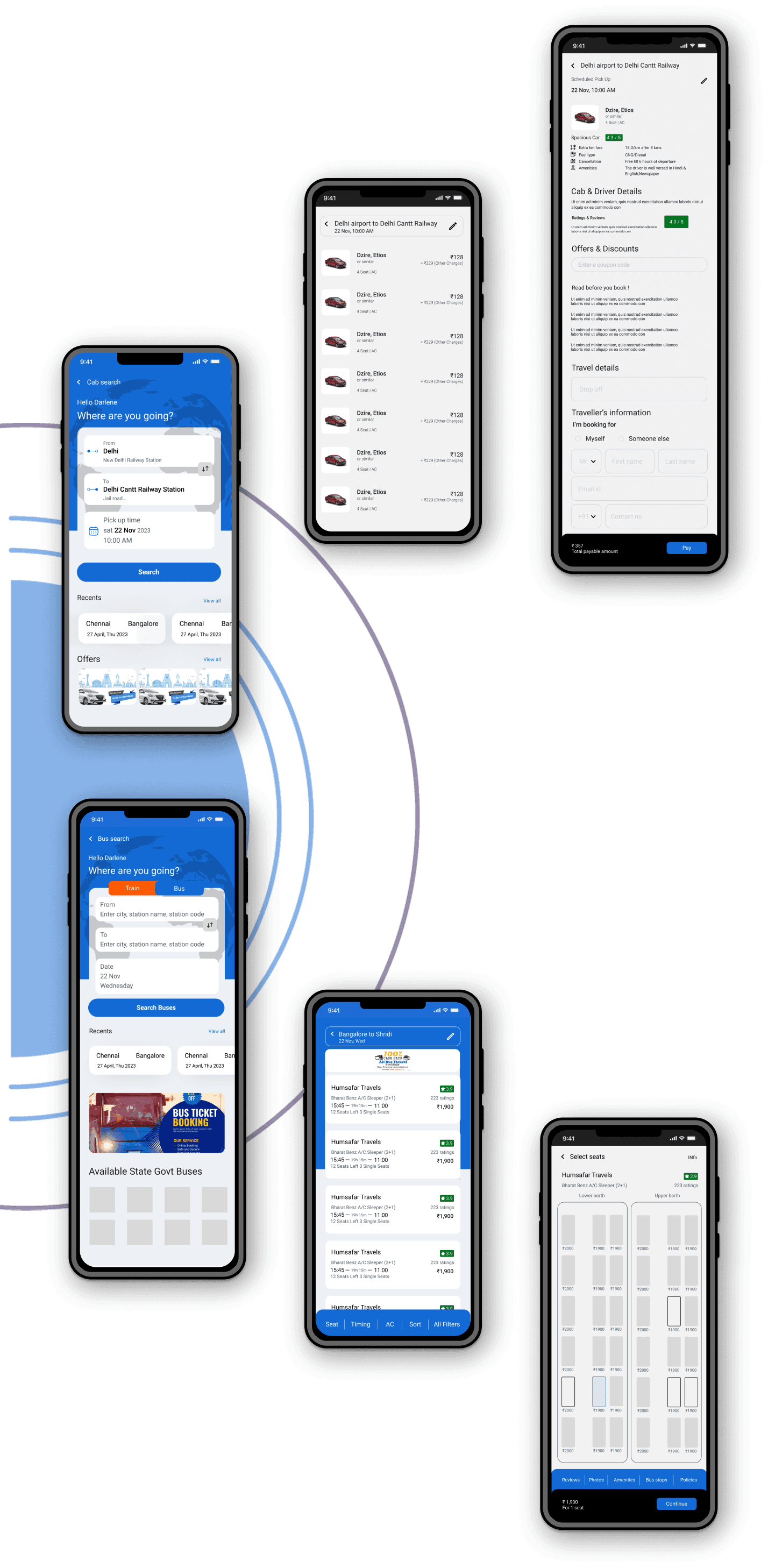
Cab booking
Search, Categories & Payment.

Choose from a fleet of reliable cabs, set preferences, and enjoy real-time tracking.

07

07

Bus booking
Search, Select screens & payment.

Bus booking
Search, Select screens & payment.

Users can effortlessly plan their entire trip, seamlessly transitioning from flights

and accommodations to securing reliable bus services.


Users can effortlessly plan their entire trip, seamlessly transitioning from flights

and accommodations to securing reliable bus services.


Users can effortlessly plan their entire trip, seamlessly transitioning from flights

and accommodations to securing reliable bus services.


Users can effortlessly plan their entire trip, seamlessly transitioning

from flights and accommodations to securing reliable bus services.


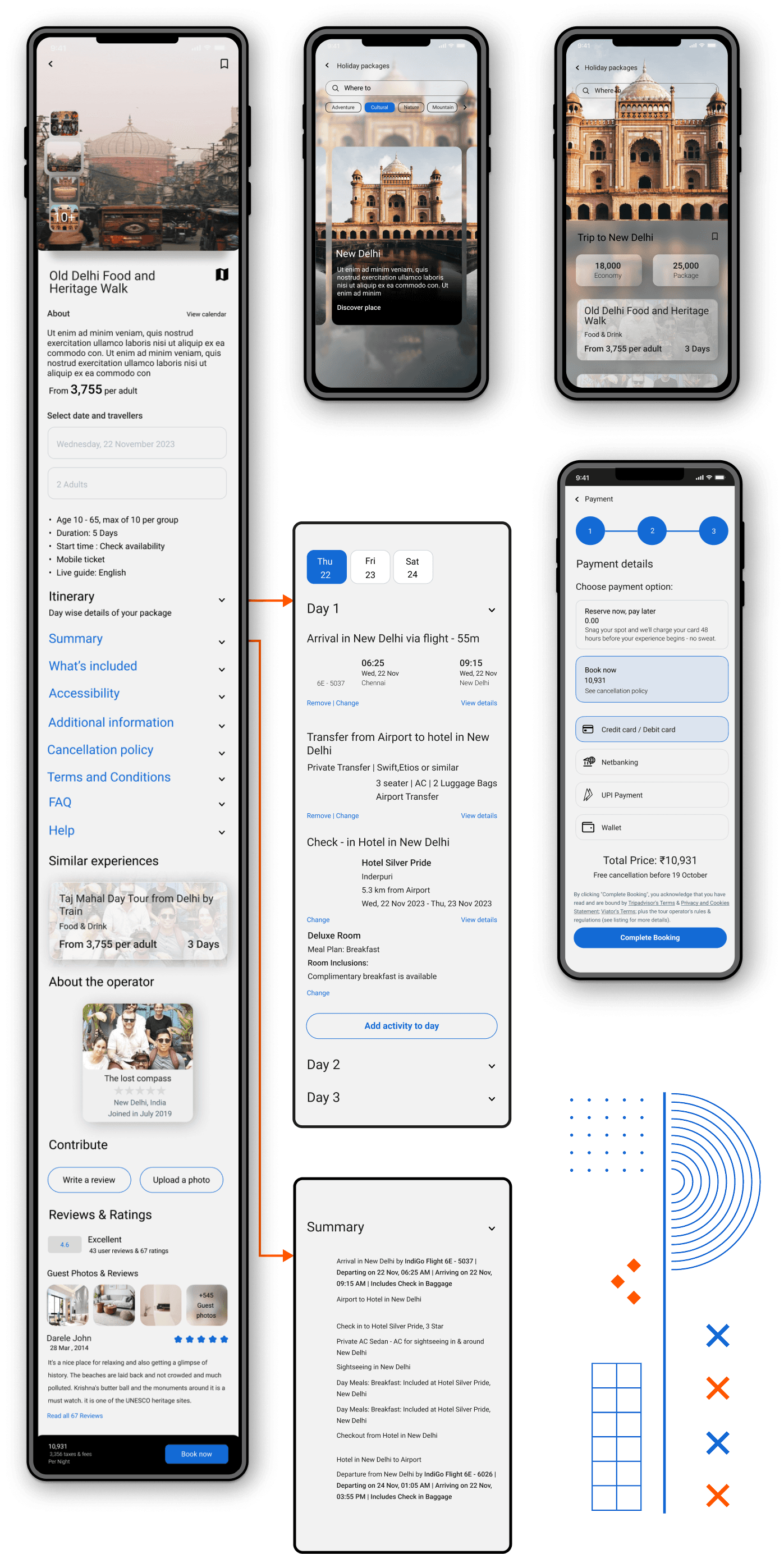
08

Travel Package
Search, Summary, Package & Payment.

Tailored to suit every traveler's preferences, our packages include seamless flights, luxurious accommodations, and curated activities for an unforgettable experience.

09

Itinerary & Travel Guide
Overview, Edit & Budget.
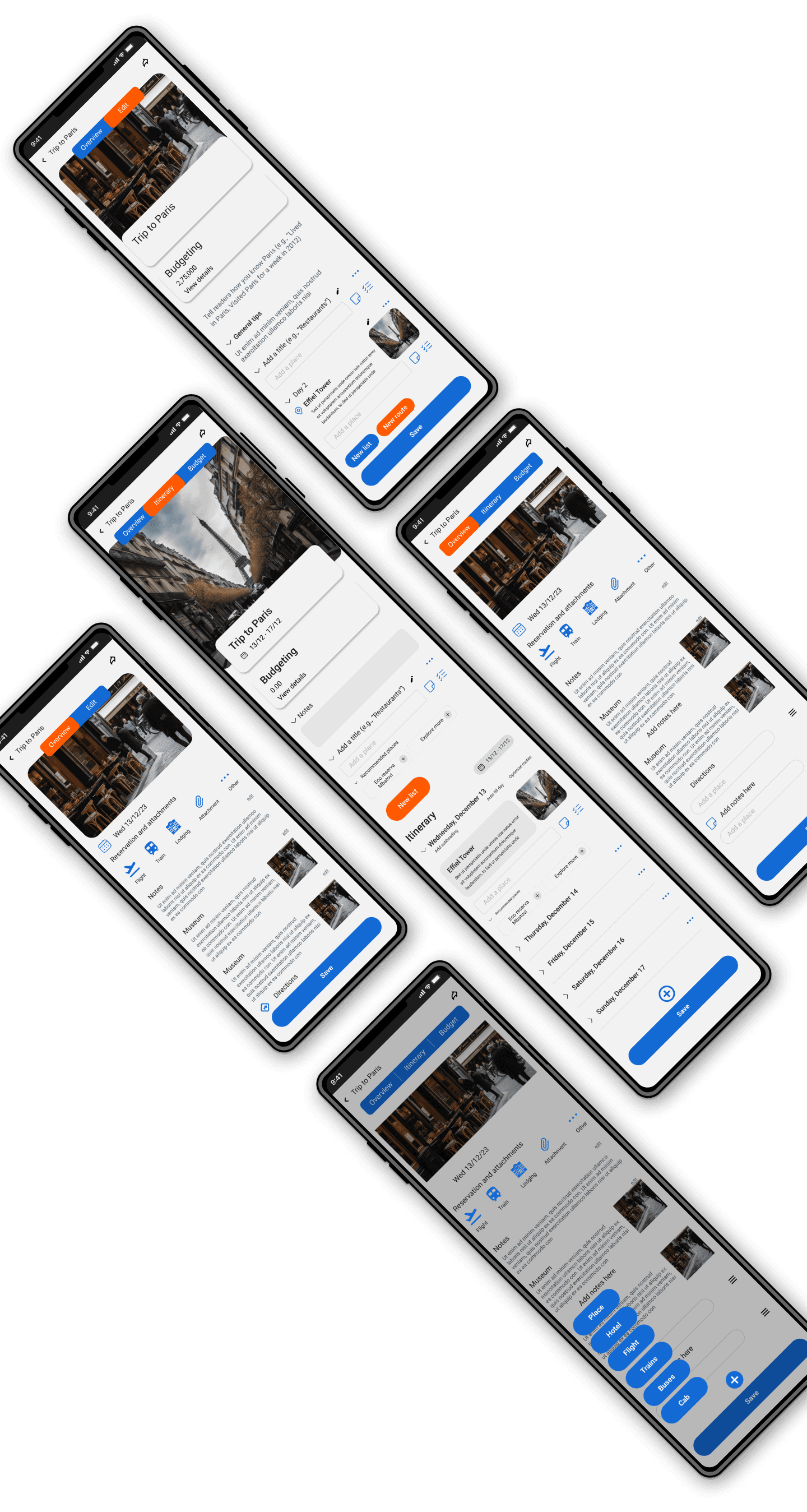

Users can efficiently plan their trips by selecting destinations, scheduling activities, and receiving real-time updates on their reservations.


Users can efficiently plan their trips by selecting destinations, scheduling activities, and

receiving real-time updates on their reservations.

10

Hotel booking
Search, Summary, Review & Payment.
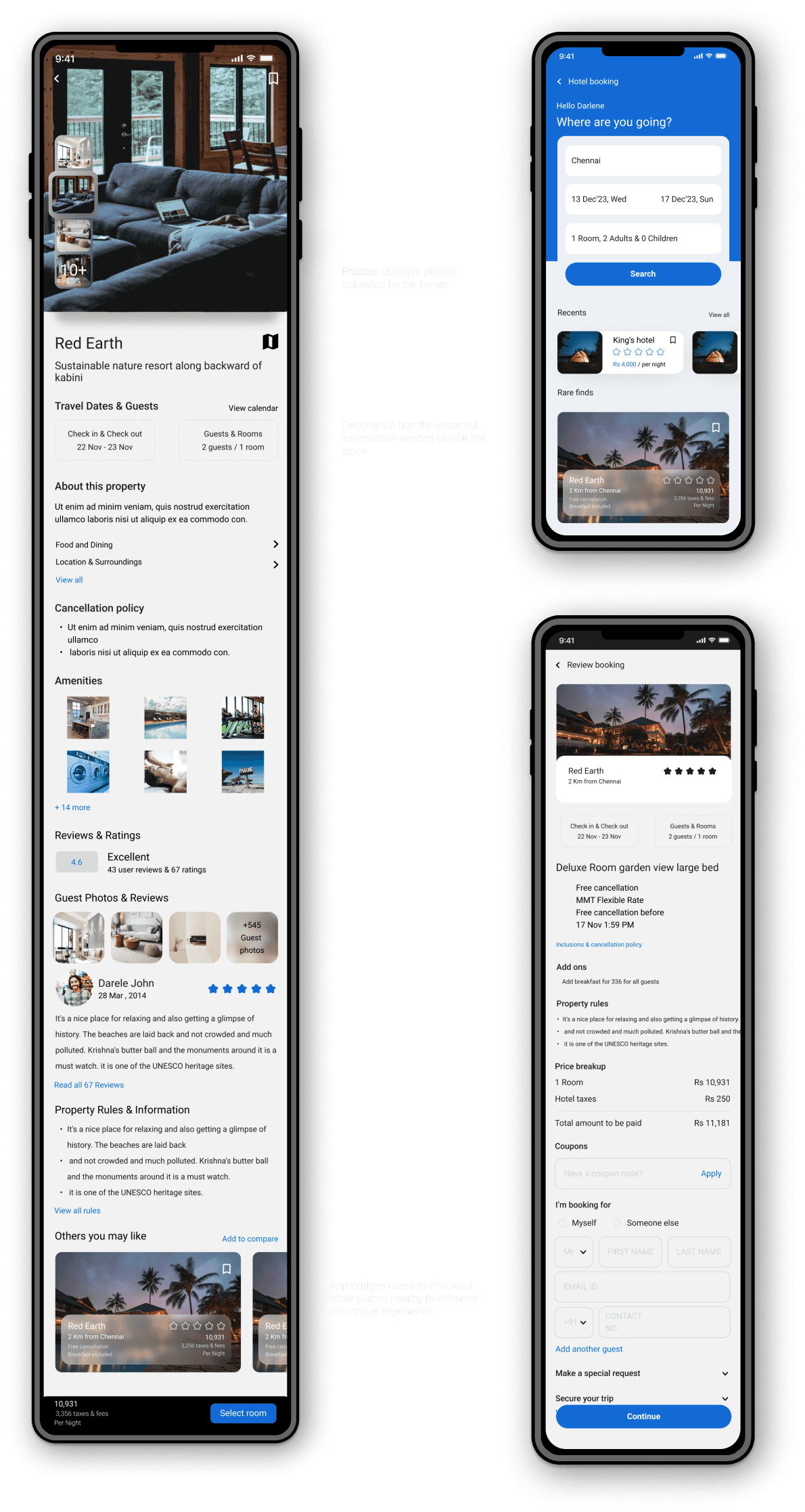
With a user-friendly interface, travelers can easily search for hotels based on their preferences, such as location, amenities, and budget.

The app typically provides detailed information about each hotel, including photos, reviews, and pricing, enabling users to make informed decisions.


With a user-friendly interface, travelers can easily search for hotels based on their preferences, such as

location, amenities, and budget. The app typically provides detailed information about each hotel,

including photos, reviews, and pricing, enabling users to make informed decisions.


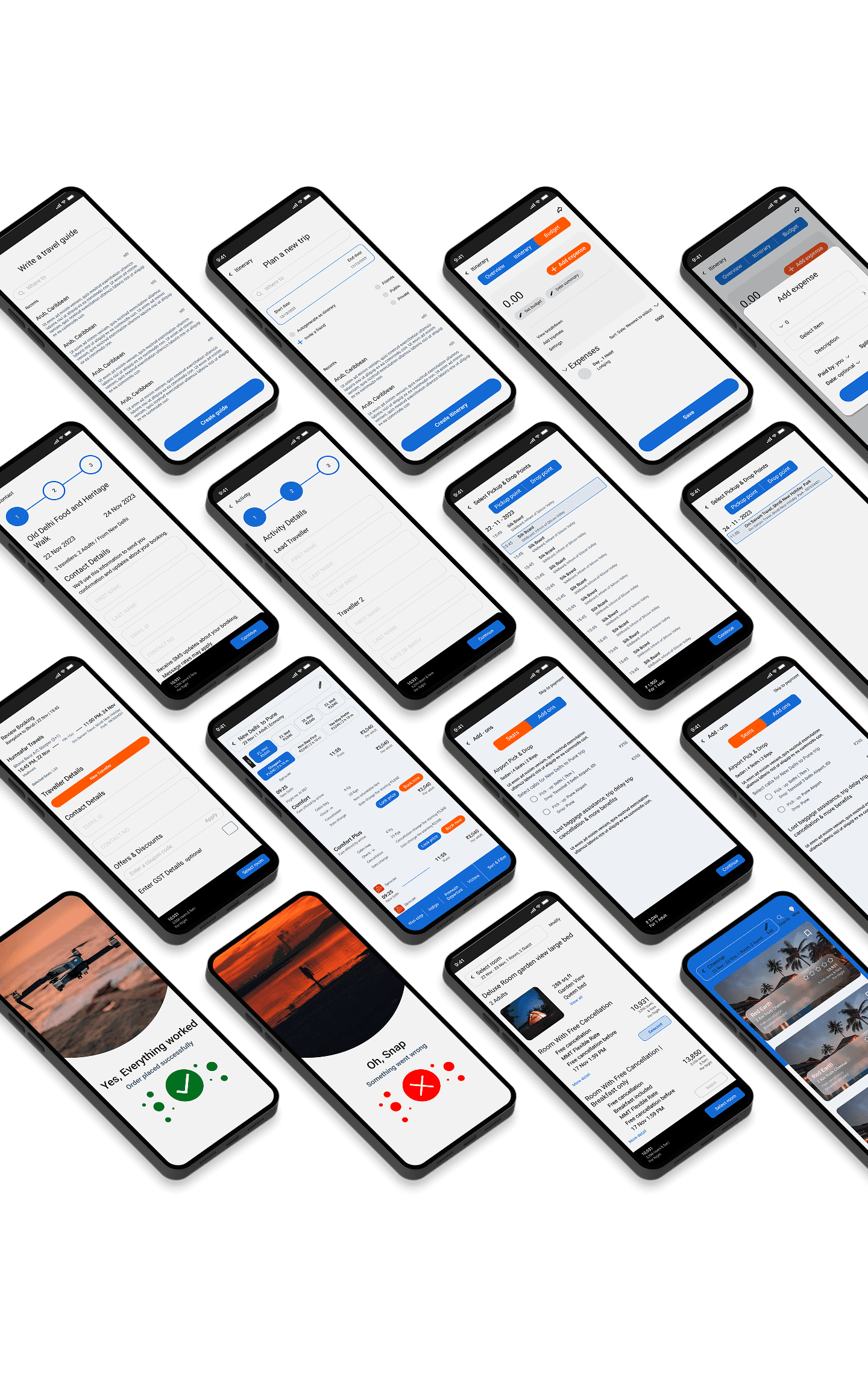
More screens

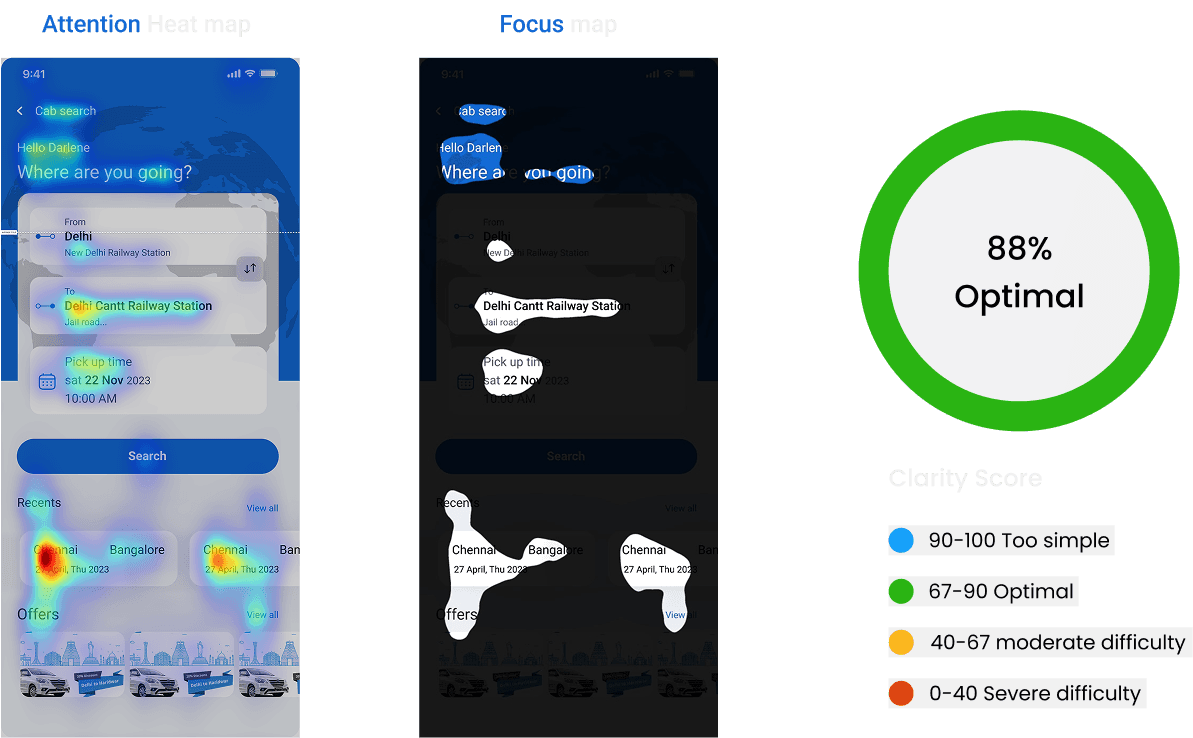
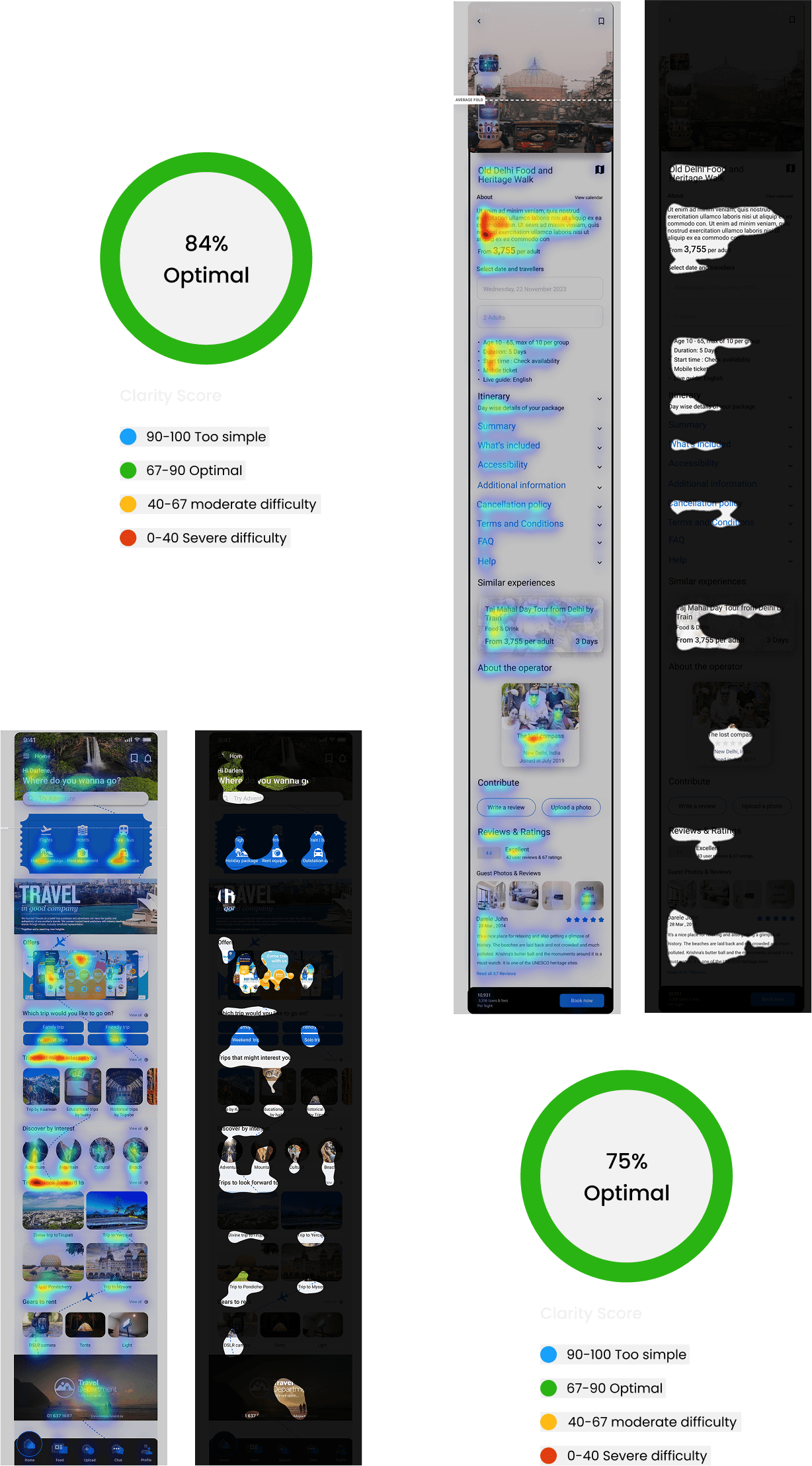
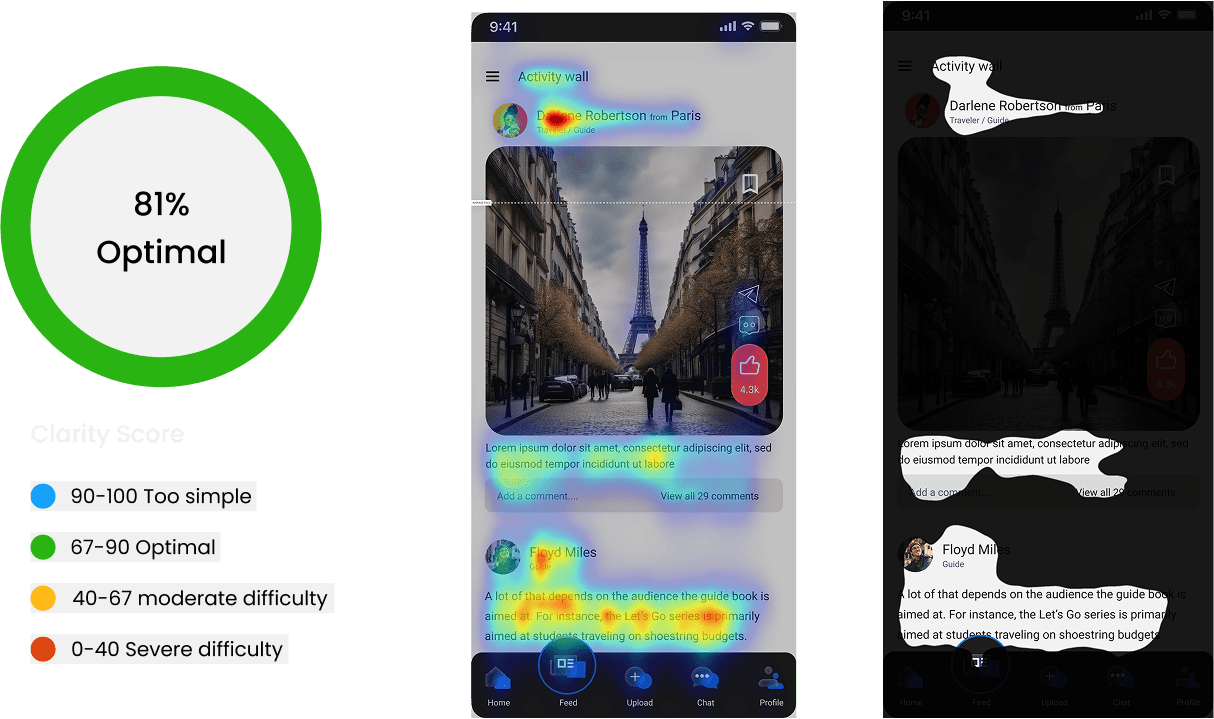
Testing

Heatmap testing is a technique used in user experience (UX) research to visualize and analyze user interaction with a website or application. They show where users click the most on a page.

Areas with more clicks are represented with warmer colors (like red or orange), while areas with fewer clicks are cooler (like blue or green).

During the research, the goal was to see if the

problem found in quantitative research is faced by

other users too or not.

My Other Works

Let's Connect

Let's Connect

Let's Connect

Create a free website with Framer, the website builder loved by startups, designers and agencies.